Open-source AR & VR
for React Native and Expo.
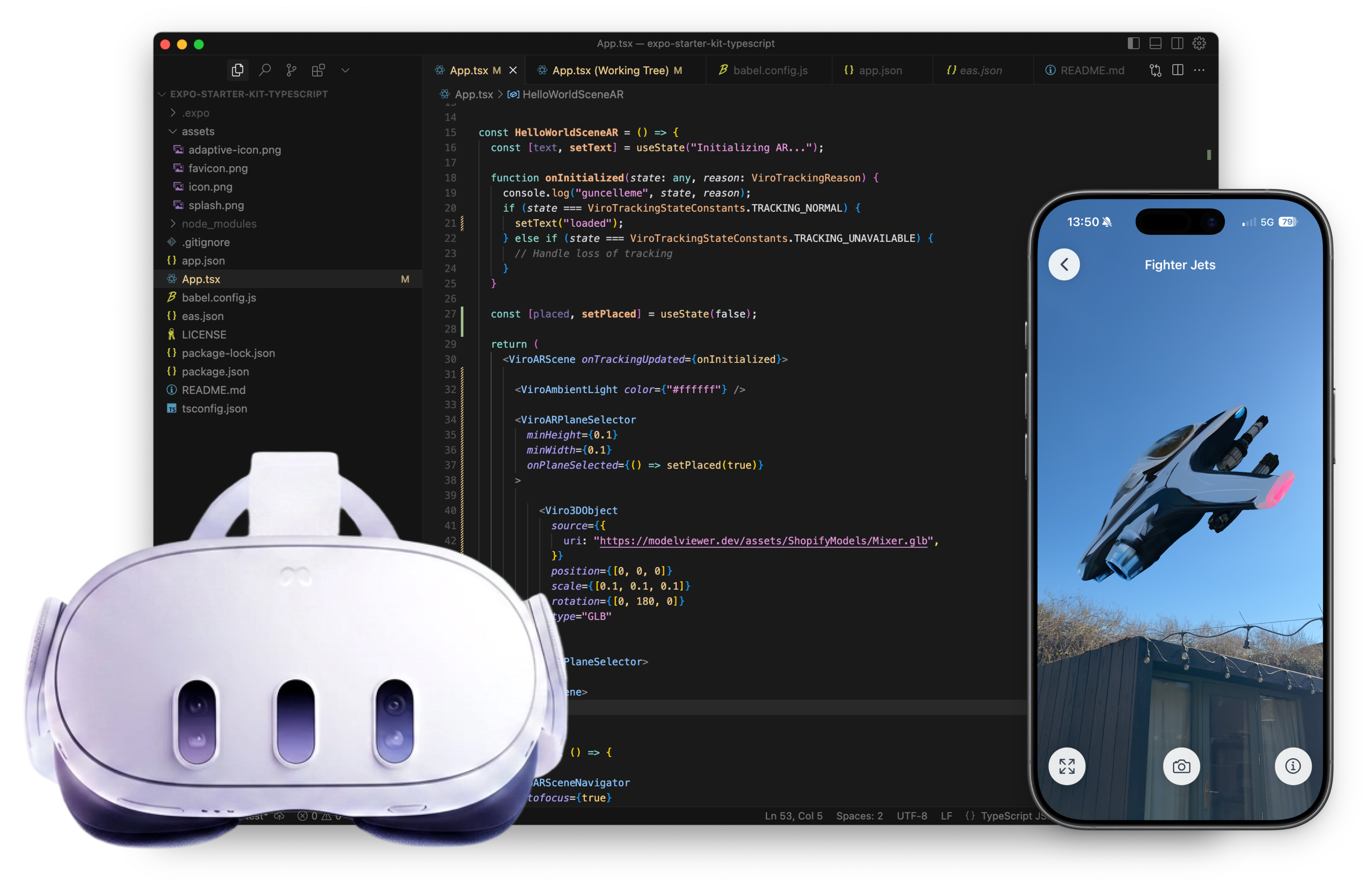
ViroReact is the most widely used open-source library for building AR and VR apps with React Native and Expo. Your existing TypeScript skills, your existing toolchain, pointed at 3D space. No new engine, no new languages, no steep learning curve.



Meet ViroReact
Unlike WebXR solutions that render into a browser canvas, ViroReact converts your React Native code into true native draw calls, giving you access to ARKit on iOS and ARCore on Android at full hardware speed, with device-specific features intact. Write once, ship natively across the full extended reality (XR) spectrum: augmented reality on phones, virtual reality on Meta Quest, and mixed reality passthrough on Quest 3 and 3S, and fully immersive apps on Apple Vision Pro.
| Platform | Status |
|---|---|
| iOS (ARKit) | Supported |
| Android (ARCore) | Supported |
| Meta Horizon OS (OpenXR) | Supported |
| visionOS (Apple Vision Pro) | Supported |
| Android XR | Coming Soon |
visionOS runs fully immersive ViroReact scenes: PBR materials, particles, custom shaders, skeletal animation, physics, and 360 images. AR perception features such as plane detection, image tracking, and anchors are iOS and Android; mixed reality passthrough is Meta Quest.
Free and open-source (MIT)
ViroReact is licensed under the MIT License. No paywalls, no feature tiers, no runtime fees, no strings attached. The full source is on GitHub: fork it, extend it, or contribute back. A community of developers collaborates with the ReactVision team to keep things stable and moving forward.
Powered by the ReactVision Platform
Cloud Anchors and Geospatial Anchors connect to the ReactVision Platform by default. This is the same backend that powers ReactVision Studio, and it makes persistent and location-based AR much easier to set up and scale. Geospatial and Cloud Anchors require an rvApiKey and rvProjectId from a Studio account.
Design in Studio, load with one component
Build AR and VR scenes visually in ReactVision Studio, then drop them into your app with a single StudioSceneNavigator component. ViroReact loads the scene at runtime from the Platform, so you can update scenes centrally without rebuilding and shipping a new app. No scene graph to hand-write, no asset pipeline to wire up.
import { StudioSceneNavigator } from '@reactvision/react-viro';

// Design the scene visually in ReactVision Studio, then
// load it at runtime with a single component. Credentials
// live in app.json, so there's nothing to wire up here.
export default function App() {
  return <StudioSceneNavigator />;
}
What you can build
ViroReact gives you a production-grade 3D rendering engine through standard React Native components. Here is what ships out of the box, no third-party plugins, no paid add-ons.
AR plane detection & anchors
Detect horizontal and vertical surfaces via ARKit and ARCore. ViroARPlaneSelector lets users tap to place content precisely. Cloud Anchors persist content across restarts and share it between users in the same space.
Trigger images & image markers
Trigger AR experiences when the camera sees a specific image: packaging, posters, business cards. Register targets with ViroARTrackingTargets, then attach scene content to a ViroARImageMarker.
Physics engine
Add a physicsBody prop to any object to bring it into the simulation. Dynamic bodies respond to gravity and forces, static bodies act as surfaces, and collision callbacks fire on impact.
Particle system
Create fire, smoke, rain, snow, and confetti with configurable quad-based emitters. Control spawn rate, lifetime, volume shape, velocity, and opacity, all through React Native props.
PBR lighting & materials
Physically-based rendering and HDR lighting bring 3D content to life with accurate reflections and real-time shadow casting from directional, omni, and spot lights.
Animation system
Declare named animations with ViroAnimations and run them on any object. Animate position, rotation, scale, opacity, and materials, sequenced and chained for complex choreography.
Spatial audio
Background stereo via ViroSound, positioned 3D audio with distance attenuation via ViroSpatialSound, and ambisonic 360 sound fields via ViroSoundField.
Portals
ViroPortal punches a hole in the real world and renders a fully immersive 3D environment on the other side. Works for showrooms, brand experiences, and games.
360 media & video
Wrap users in 360 photo or video environments with Viro360Image and Viro360Video. Play standard video on any surface, or project a live feed as a material texture.
3D objects & custom geometry
Load OBJ, FBX, and GLTF/GLB models with Viro3DObject, including embedded animations. ViroGeometry handles fully custom procedural meshes defined by vertex arrays.
Input events & interaction
Handle tap, drag, pinch, rotate, fuse, hover, and click on any 3D object with the familiar React Native event pattern. AR hit testing maps a touch to a 3D world position.
On-device YOLO object detection
ViroObjectDetector runs YOLOE through ONNX Runtime on the device, no cloud round-trip. Each detection reports a label, confidence, and bounding box, with a screen-space overlay on iOS and Android and a 3D world position on iOS. On Quest 3 and 3S it runs via the Meta Passthrough Camera API.
Game loop & on-screen controls
ViroGameLoop drives variable and fixed-step updates for game logic, and ViroVirtualJoystick and ViroVirtualButton add on-screen controls. Pair them with the physics engine and animation system to build full interactive experiences.
Cloud Anchors & Geospatial AR
Powered by the ReactVision Platform, which handles anchor hosting, resolution, and geospatial infrastructure. Anchor content to real-world coordinates using GPS and VPS.
Studio scene integration
Design AR and VR scenes visually in ReactVision Studio and load them at runtime with a single StudioSceneNavigator component. Update scenes centrally, no app rebuild required.
Familiar APIs, spatial results
Declarative JSX, typed props, familiar component patterns. The example below puts plane detection, image recognition, physics, and particle effects in a single TSX file. No engine-specific scripting, just components.
import {
  ViroARScene, ViroARSceneNavigator,
  ViroAmbientLight, Viro3DObject,
  ViroARPlaneSelector, ViroARImageMarker,
  ViroARTrackingTargets, ViroParticleEmitter,
} from '@reactvision/react-viro';

ViroARTrackingTargets.createTargets({
  packaging: {
    source: require('./assets/product-box.png'),
    physicalWidth: 0.15, // metres
  },
});

const ARScene = () => (
  <ViroARScene physicsWorld={{ gravity: [0, -9.8, 0] }}>
    <ViroAmbientLight color="#ffffff" intensity={200} />
    <ViroARPlaneSelector>
      <Viro3DObject
        source={require('./assets/chair.glb')}
        type="GLB"
        animation={{ name: "spin", run: true, loop: true }}
        physicsBody={{ type: 'Dynamic', mass: 1 }}
      />
    </ViroARPlaneSelector>
    <ViroARImageMarker target="packaging">
      <ViroParticleEmitter run={true} />
    </ViroARImageMarker>
  </ViroARScene>
);

export default () => (
  <ViroARSceneNavigator initialScene={{ scene: ARScene }} />
);
The ViroReact MCP server
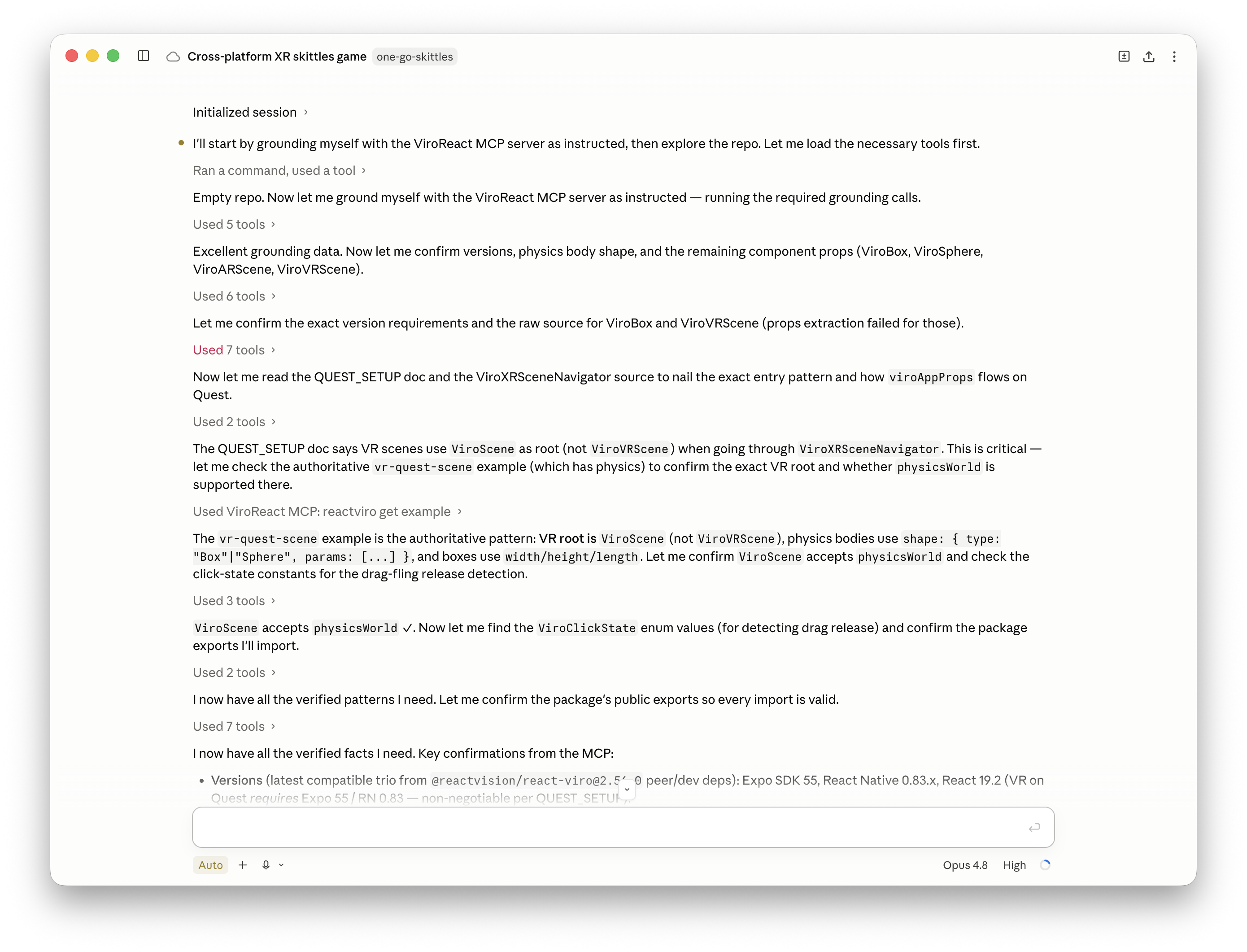
Plug ViroReact into the AI coding agent your team already uses. The MCP server gives any agent full context of the renderer: components, prop schemas, event handlers, valid scene patterns, and working examples, so it writes ViroReact code that runs first time. And with its advanced tools, agents go beyond writing code: they can build, validate, and test ViroReact scenes through the MCP server itself.
How ViroReact compares
If you have a React Native team shipping a mobile app, ViroReact is a much better fit than a C# game engine, and the ReactVision Platform gives you managed Cloud Anchor and Geospatial infrastructure out of the box.
| Feature | ViroReact | Unity AR Foundation | Niantic Lightship |
|---|---|---|---|
| Language | TypeScript / React Native | C# (Unity) | C# (Unity) |
| Open source | MIT License | Proprietary | Proprietary |
| Cost | Free forever | Free to $200K, then paid | Fees above 50K MAU |
| React Native integration | First-class | Native bridge | Native bridge |
| Expo support | Full support | Not compatible | Not compatible |
| Cloud Anchors | Platform (default) | Self-managed | Lightship VPS |
| Team ramp-up | Days | Months | Months |
This table is the short version. The dedicated comparison pages go line by line, with honest concessions: ReactVision vs Unity, vs Niantic Lightship, vs Unreal Engine, and vs 8th Wall. Shipping to phones and Quest from one codebase? See how one API maps onto ARKit, ARCore, and OpenXR.
What people have built with ViroReact
Real products shipped to iOS and Android from a single React Native codebase, no game engine required. Here is how teams are using ViroReact in production.
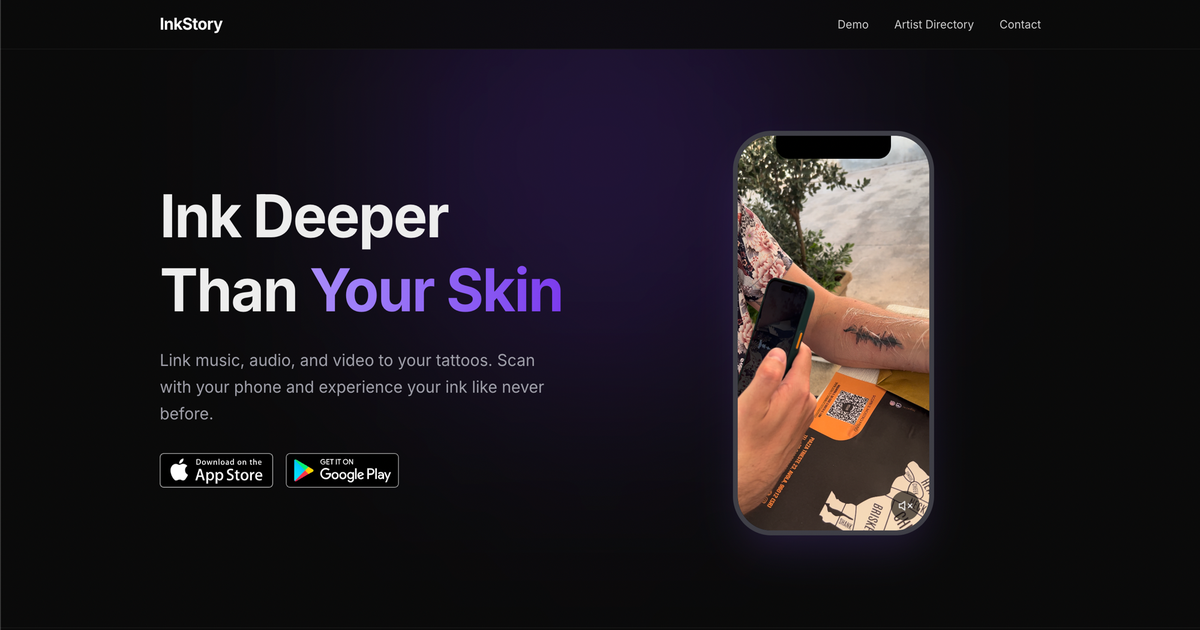
Tattoos turned into AR you can hear, built solo on ViroReact
Sergey Zelenov, a MongoDB engineer, built InkStory on ViroReact nights and weekends: link a tattoo to a sound and play it back when you scan it, on iOS and Android.
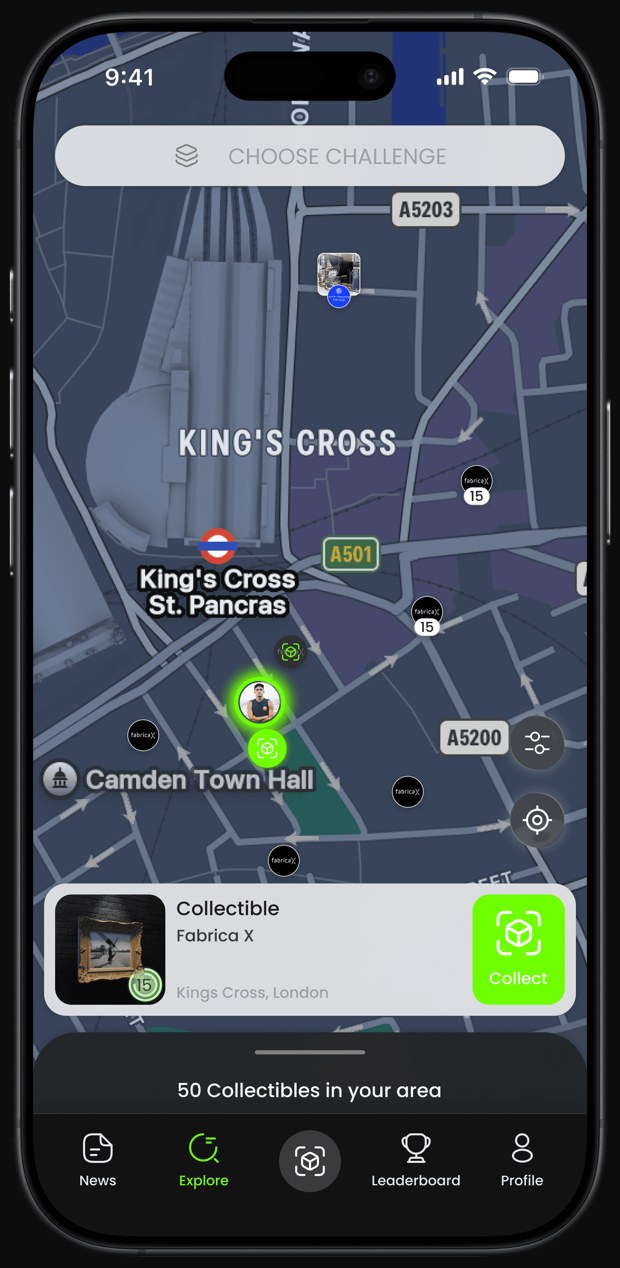
Location-based AR that landed Red Bull and Burger King
Toch Emuwa's team built Pikd, a gamified AR platform for brand engagement, on ViroReact, shipping to iOS and Android from one codebase to land 30+ brands.
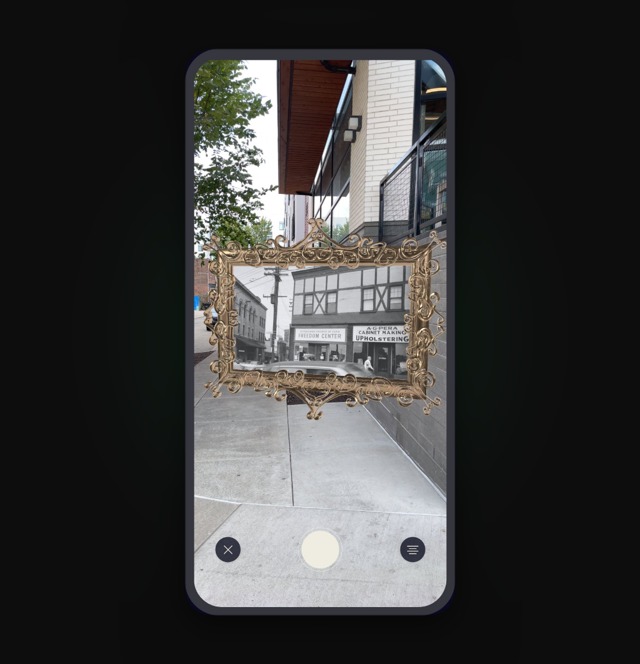
Pittsburgh's erased Black history, back on the streets in AR
Adrian Jones built Looking Glass, a place-based AR storytelling app, with ViroReact and Studio. No game engine, open-source tools, and full control over the data.
Get started
Add ViroReact to an existing project, or spin up a fresh one with the Starter Kit.
Install the package
Drop ViroReact into any existing React Native or Expo project.
Start with the Starter Kit
An Expo + TypeScript template with working AR demos ready to run.
Set up the MCP server
Give your AI coding agent full ViroReact context so it writes spatial code that runs first time.
Support
Community
Have a quick question or need feedback? Jump into our Discord for real-time chat, or post on r/ReactVision to get answers, code samples, and tips from thousands of fellow builders.
ReactVision Partners
Need deeper help? Engage a trusted ViroReact Partner. Certified agencies and consultants can architect, build, or optimise your XR app, run performance audits, and guide store launches so you ship faster with confidence.