Build AR & VR apps visually.
Ship natively to every platform.
ReactVision Studio is a browser-based AR and VR editor. Build a scene once, ship it natively to iOS, Android, and Meta Quest, all from the React Native codebase your mobile team already writes.
Native rendering via ARKit, ARCore, and HorizonOS
Open-source MIT renderer, 140k+ npm installs
Drops into any Expo project with a development build
What is ReactVision Studio?
Studio is the visual editor for the ReactVision stack. Build AR and VR scenes by dragging components onto a canvas, preview them in real time on your phone or headset with StudioGo, then ship them inside a React Native app via ViroReact, our open-source renderer.
- A built-in AI agent that builds scenes, assets, and anchors from a prompt.
- No 3D coding, Studio writes the scene graph for you.
- Live device preview on your phone or headset with StudioGo.
- Cloud and geospatial anchors built in.
- One component to load it into any React Native app, native on iOS, Android, and Meta Quest.
If you are rebuilding scenes from 8th Wall Studio, see our migration overview.
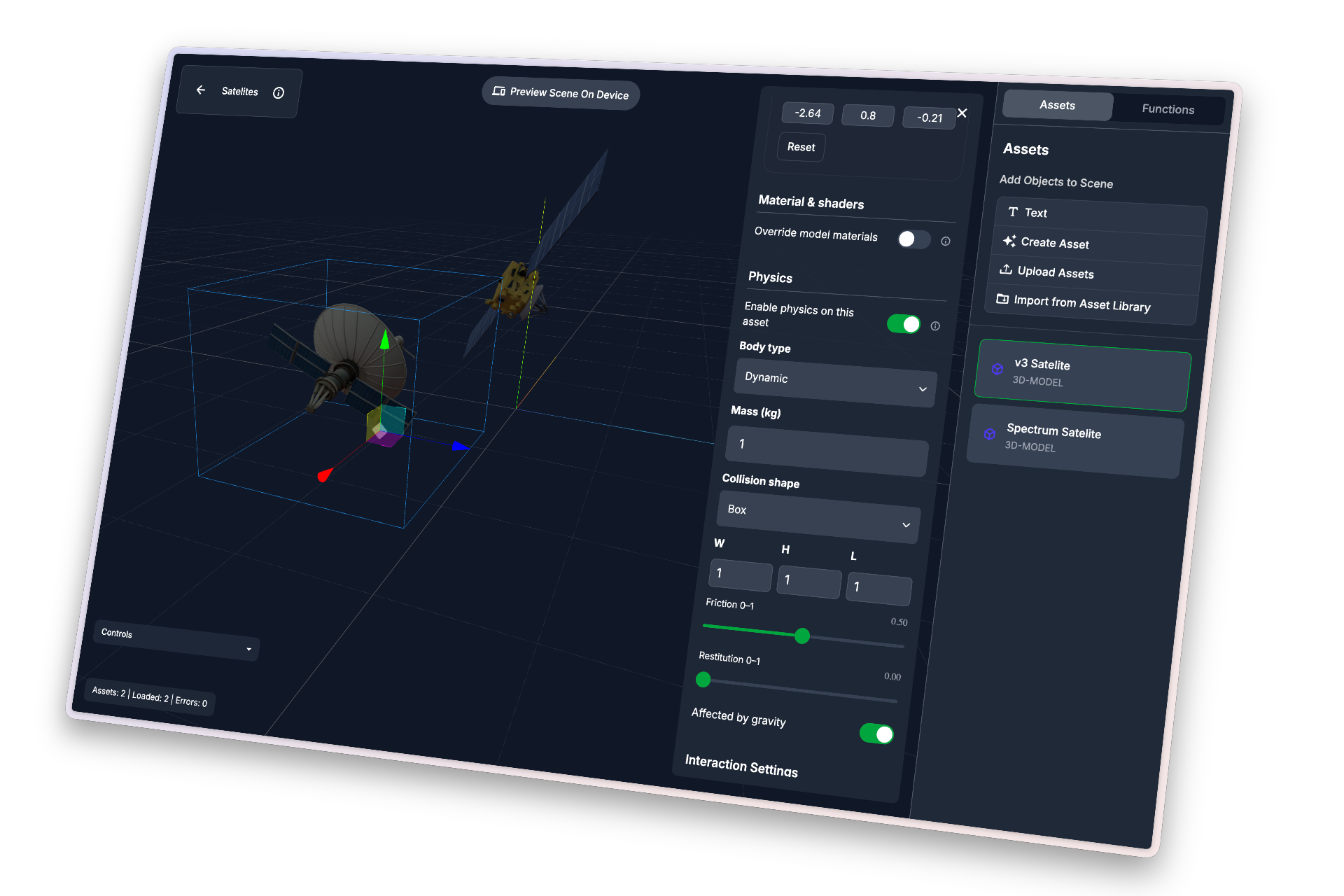
Build AR and VR with the Studio AI agent
Studio now has an AI agent built into the editor. Describe the experience you want and it creates scenes, generates and places assets, wires up physics, animation, and triggers, and sets geospatial anchors, all inside your project. You stay in control, the agent does the legwork.
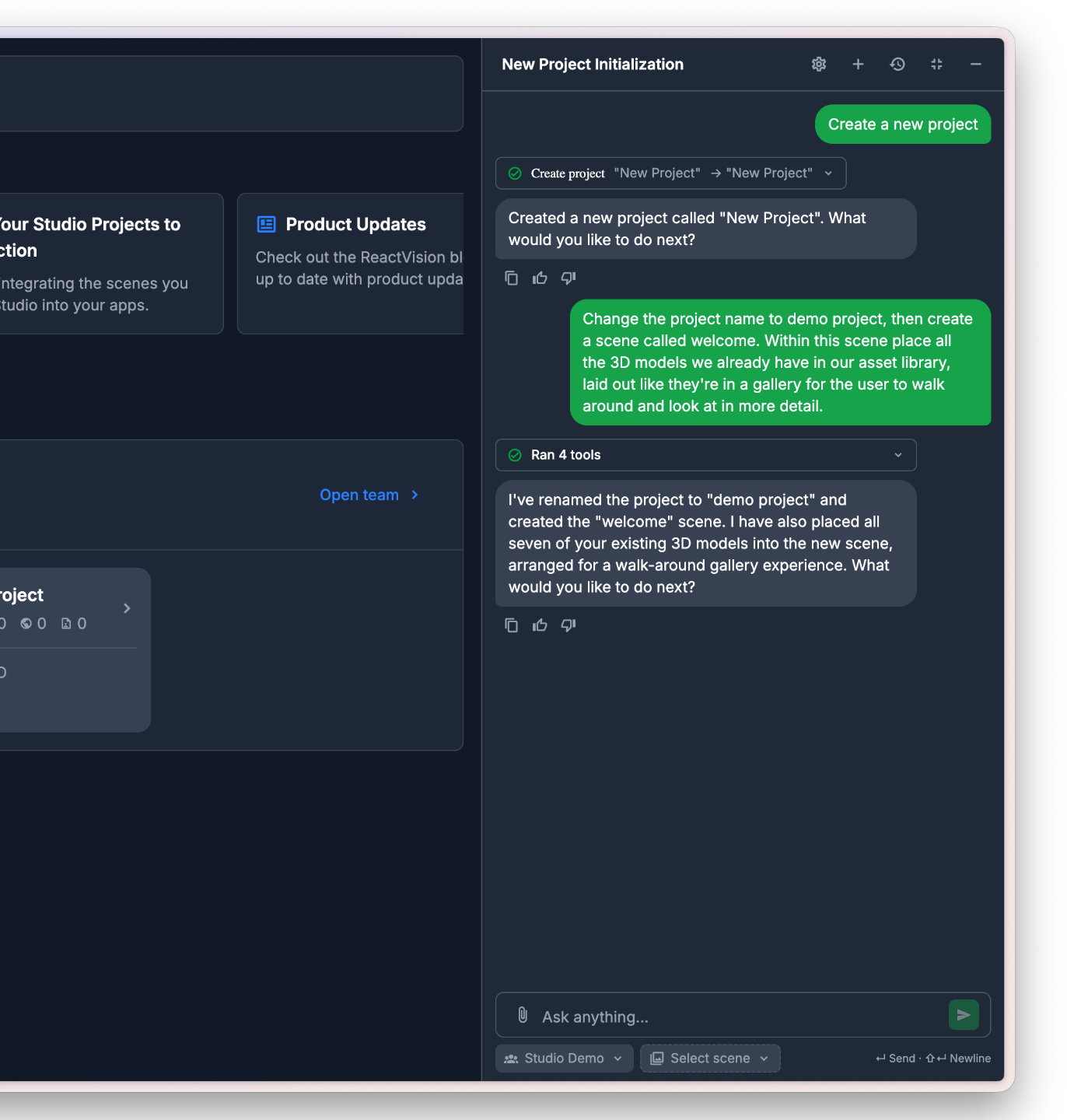
Hand off the project admin
Ask the agent to spin up projects and scenes, pull in or generate the assets you need, and place them exactly where they belong. The groundwork is done before you start building.
Speed up scene editing
Call the agent from inside a scene to wire up functions and triggers, apply shaders and materials, add physics and animation, and more, without leaving the canvas.
Build once. Run native on every major XR platform.
Studio outputs one scene format. ViroReact renders it natively on each platform using the platform's own runtime: augmented reality via ARKit on iOS and ARCore on Android, and virtual reality and mixed reality via HorizonOS on Meta Quest. One cross-platform project across the whole extended reality (XR) spectrum, with no re-authoring, no shader rewrites, and no frame-rate compromise. Shipping into a React Native app? See the React Native AR guide.
iOS
iPhone and iPad AR, including LiDAR-aware features on supported devices. Same scene, full ARKit performance.
Android
Phones and tablets from every major Android OEM, rendered through ARCore. The same codebase runs across both ecosystems.
Meta Quest
Quest 3 and Quest 3S, full VR and mixed reality. Your Studio scene becomes a headset app, no separate VR project required.
Preview live, then ship inside your app
Link StudioGo to your project and every change in the editor shows up in AR on your phone a second later. When the scene is ready, drop StudioSceneNavigator into your React Native app. ViroReact loads the scene at runtime, so you iterate without rebuilding the app. This is Studio as an XR CMS: content changes go live without an app release.
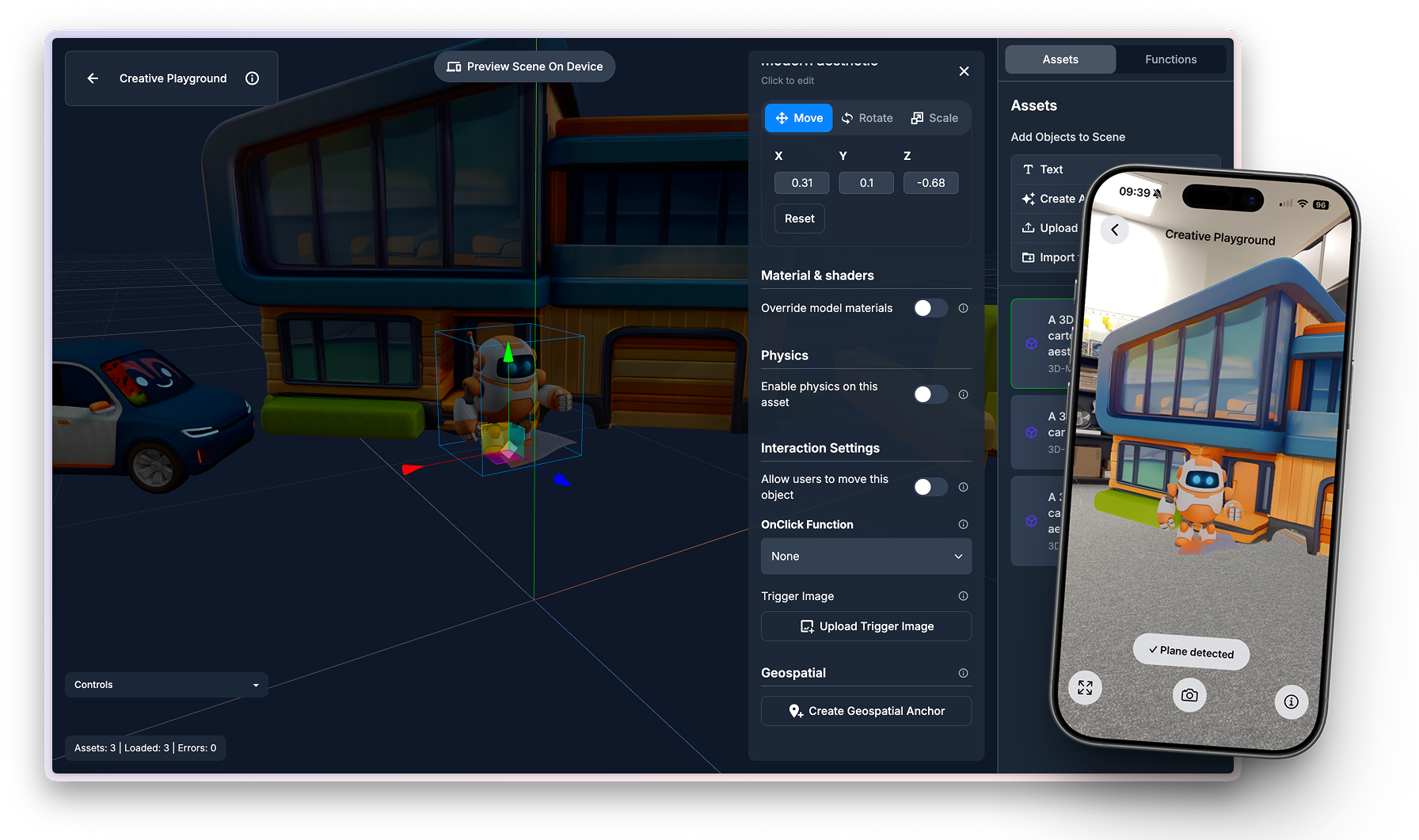
// In your React Native app, works on iOS, Android, and Quest
import { StudioSceneNavigator } from '@reactvision/react-viro';

export default function App() {
  return (
    <StudioSceneNavigator />
  );
}Backed by ReactVision Platform
Studio is the editor, Platform is the backend that powers the harder AR features. Both ship together, accessed straight from your Studio project. No separate setup, no separate keys. Comparing hosted anchor providers? See how Platform stacks up as a Niantic Lightship alternative.
Cloud Anchors
Persist AR content across sessions and devices. Place a model in a room today, find it in the same spot tomorrow, on someone else's phone.
Geospatial Anchors
Pin AR content to real-world coordinates. Drop a 3D model on a street corner or any GPS point, and find it there every time.
Asset Hosting
Host your team's scenes and assets centrally, streamed into your app at runtime so content updates without an app release. The Asset Storage API also stores what your users upload, kept separate from your team's content.
Simple pricing that scales with you
Sign up for free, no card required. Every tier includes the full Studio editor, the AI agent, ViroReact integration, and Platform features. You only pay when your asset hosting, API, or AI usage grows beyond the free tier.
Free
- 500 MB asset hosting
- 1,000 Platform API requests / mo
- 350 AI credits / mo
- Full editor, AI agent, and ViroReact access
Basic
- 1 GB asset hosting
- 10,000 Platform API requests / mo
- 1,000 AI credits / mo
- Everything in Free
Pro
- 5 GB asset hosting
- 100,000 Platform API requests / mo
- 2,500 AI credits / mo
- Everything in Basic
Enterprise
- Run Studio and Platform in our cloud or your data centre
- SSO and audit logging
- Fixed licence pricing for on-premises
- Direct support from the ReactVision team
Asset hosting covers 3D models, images, videos, and audio, across both your team's content and assets your users upload. Platform API requests cover Cloud Anchor, Geospatial Anchor, Asset Storage, and Studio Scene calls via ViroReact. ViroReact itself stays free under MIT, regardless of tier.
Platform support
Live on iOS, Android, Meta Quest, and Apple Vision Pro today. Android XR is on the way. The same Studio scene runs everywhere we support, no separate authoring per platform.
| Platform | Runtime / devices | Status |
|---|---|---|
| iOS | ARKit | Supported |
| Android | ARCore | Supported |
| Meta HorizonOS | Quest 3, Quest 3S | Supported |
| visionOS | Apple Vision Pro | Supported |
| Android XR | Samsung, Google | Coming Soon |
Start building
ReactVision Studio is free to sign up. Create a project, open the editor, and you will be placing models on a canvas in under a minute.
Support
Community
Have a quick question or need feedback? Jump into our Discord for real-time chat, or post on r/ReactVision to get answers, code samples, and tips from thousands of fellow builders.
ReactVision Partners
Need deeper help? Engage a trusted ViroReact Partner. Certified agencies and consultants can architect, build, or optimise your XR app, run performance audits, and guide store launches so you ship faster with confidence.