The best way to build
AR and VR apps with
React Native.
ViroReact is the most widely used open-source library for building augmented reality and virtual reality apps with React Native. Write one TypeScript codebase and ship it natively to iOS, Android, and Meta Quest. No Unity, no new language, no separate VR project.
Why ViroReact is the best way to build AR and VR with React Native
Most XR tools hand you a renderer and leave the rest to you. ViroReact gives React Native developers native AR and VR, open source, from a single codebase.
Native rendering, not WebAR
Compiles to true native ARKit, ARCore, and OpenXR draw calls, not a browser canvas. Hardware-speed rendering, occlusion, PBR lighting, spatial audio, and custom shaders on the device GPU.
One codebase for AR and VR
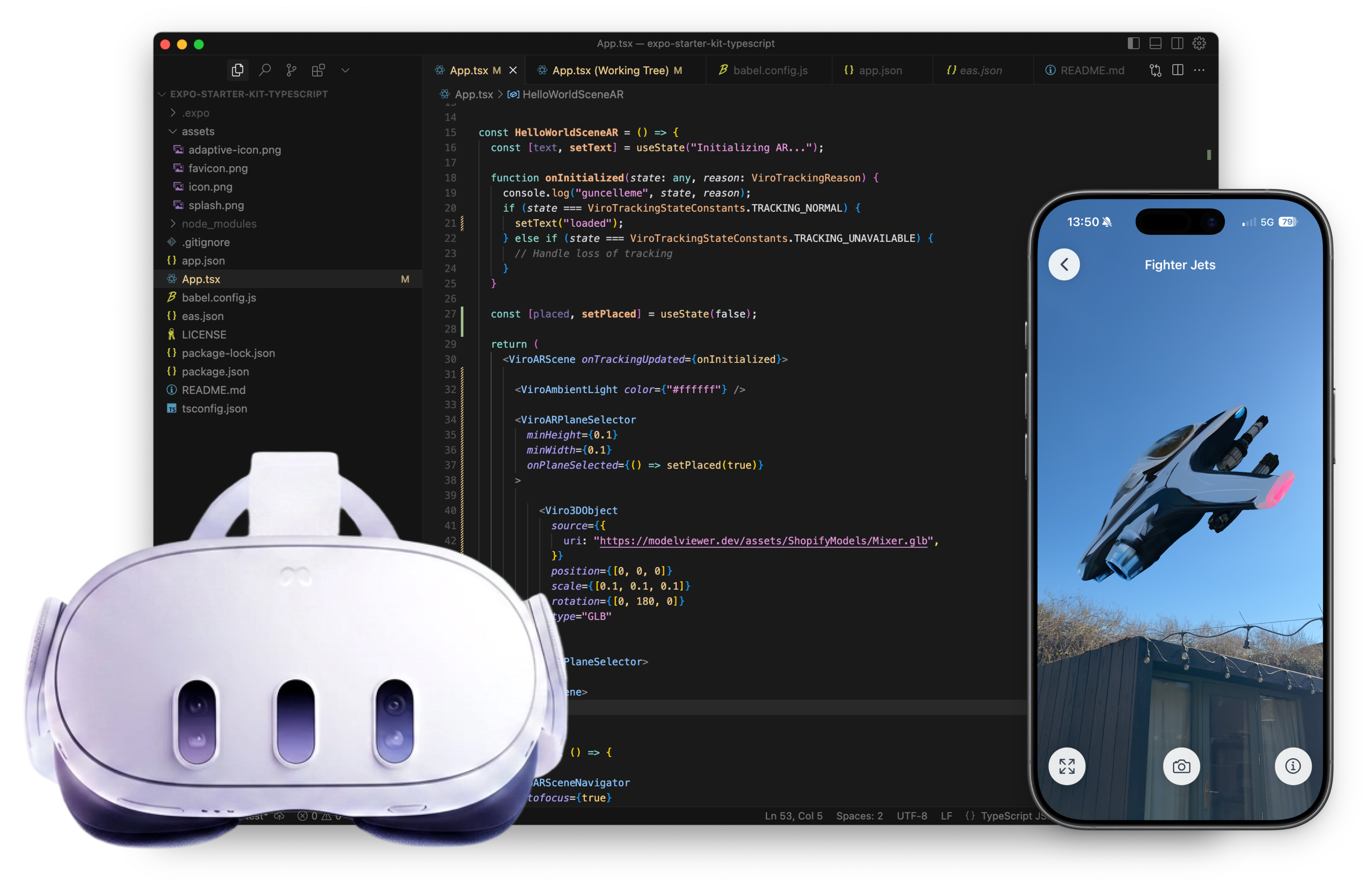
The same ViroARScene runs as augmented reality on a phone and as virtual reality on Meta Quest. Route it with ViroXRSceneNavigator from one React surface, no second project to maintain.
TypeScript and JSX, not C#
Declarative components, typed props, and familiar React patterns. Your existing CI, linting, and testing all keep working, and teams are productive in days rather than months.
Open source, free forever
The ViroReact renderer is MIT licensed with no runtime fees and no per-seat pricing. The full source is on GitHub, so you keep control of your stack and your data.
From one codebase to AR and VR
Write your scene once in React Native. ViroReact renders it natively as augmented reality on mobile and virtual reality on Meta Quest. For the AR half in depth, see the React Native AR guide.
Write once in React Native
Build your scene as declarative ViroReact components in TypeScript, the stack your team already knows. No new engine, no C#, no native bridges to wire up by hand.
Ship AR on iOS and Android
ViroReact compiles to native ARKit and ARCore draw calls, so your augmented reality runs at hardware speed with plane detection, LiDAR depth, occlusion, and PBR lighting built in.
Extend to VR on Meta Quest
The same codebase targets Meta Quest through OpenXR: stereoscopic rendering, 6DoF tracking, controllers, hand tracking, and passthrough mixed reality on Quest 3 and 3S.
What the integration looks like
Install ViroReact in your React Native or Expo project, then route one scene across mobile AR and Meta Quest VR with a single navigator component.
// One React surface. AR on mobile, VR on Meta Quest.
import { ViroXRSceneNavigator } from '@reactvision/react-viro';
import SpatialScene from './SpatialScene';

export default function App() {
  return (
    <ViroXRSceneNavigator
      initialScene={{ scene: SpatialScene }}
    />
  );
}Design visually, or let AI write the ViroReact
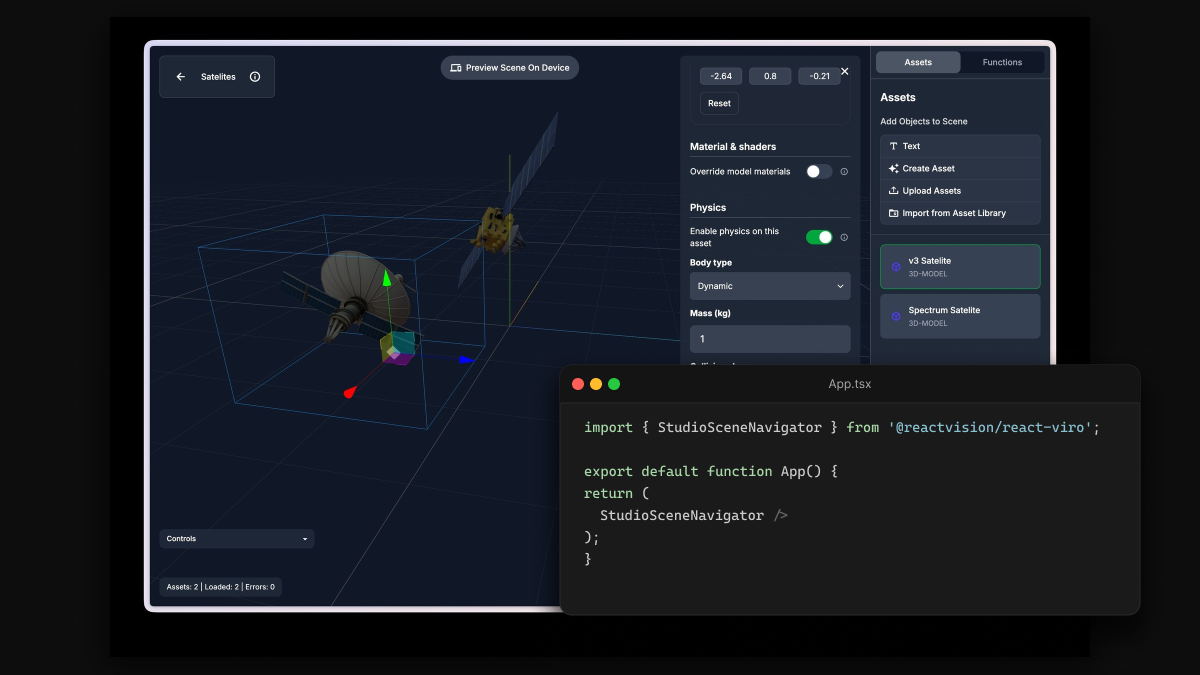
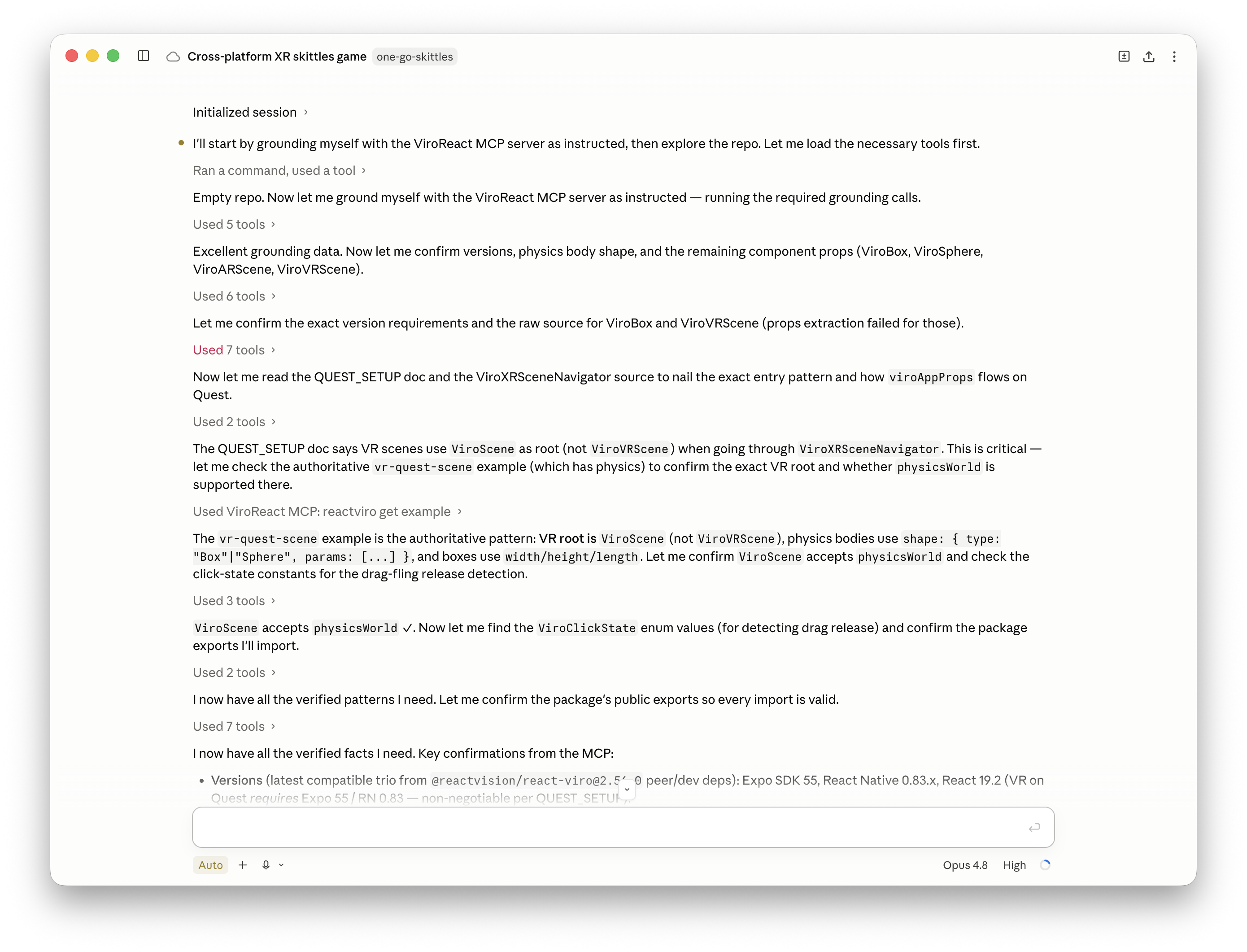
ReactVision Studio is a browser-based editor for building AR and VR scenes with drag-and-drop tools, or from a prompt with the Studio AI Agent. For the parts you write in code, the ViroReact MCP server gives your AI coding agent full context of the renderer: components, prop schemas, event handlers, and working examples, so it writes ViroReact that runs first time.
React Native AR and VR vs Unity vs WebXR
Where ViroReact sits against a full game engine and a browser-based WebGL renderer for building AR and VR apps, line by line.
| Capability | Unity / Unreal | Three.js / R3F (WebXR) | ViroReact |
|---|---|---|---|
| Stack and language | C# / C++ game engine | JavaScript / WebGL | TypeScript + React Native |
| AR on iOS and Android | Supported, separate build | WebXR, limited and slower | Native ARKit and ARCore |
| VR on Meta Quest | Separate VR workflow | Browser WebXR only | Native OpenXR, same codebase |
| One codebase for AR and VR | No, separate projects | Partial, via WebXR | Yes, one React surface |
| Visual scene editor | Unity Editor, C# scripting | None built in | ReactVision Studio, in browser |
| Open source renderer | Proprietary engine | Open source, web only | ViroReact, MIT licensed |
| Team ramp-up | Months, new engine | Days for web devs | Days for React Native devs |
| Cost at scale | $2,200 / seat / yr above $200K rev | Free renderer, self-assembled | Free renderer, tiered Platform |
Common questions about building AR and VR with React Native
What is the best way to build AR and VR apps with React Native?
Can one React Native codebase target both AR and VR?
Does it work with Expo?
Which devices and platforms are supported?
Do I need to learn Unity, C#, or 3D modelling?
How much does it cost?
How does this compare to Unity or a WebXR renderer like Three.js?
Start building AR and VR with React Native
Design a scene in ReactVision Studio, drop the ViroReact component into your React Native or Expo app, and ship native AR and VR from one codebase.
Support
Community
Have a quick question or need feedback? Jump into our Discord for real-time chat, or post on r/ReactVision to get answers, code samples, and tips from thousands of fellow builders.
ReactVision Partners
Need deeper help? Engage a trusted ViroReact Partner. Certified agencies and consultants can architect, build, or optimise your XR app, run performance audits, and guide store launches so you ship faster with confidence.