Physics, Shaders, and Animations Land in Studio: Everything New in Our April Release
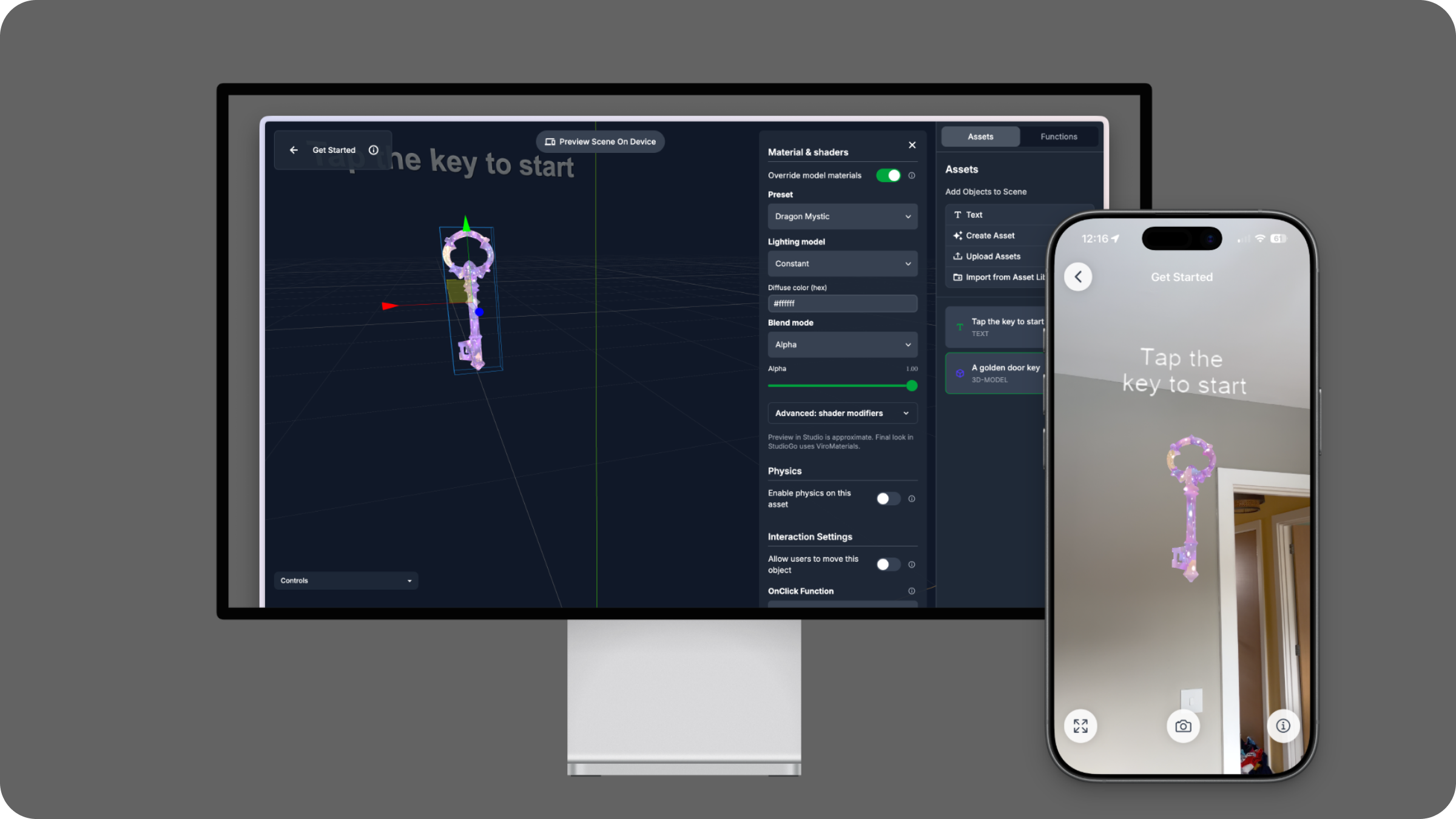
Studio’s April update is here, and it is a big one. We are bringing three of ViroReact’s most powerful capabilities directly into the Editor: physics, shaders, and animations. All three are also fully supported in StudioGo, alongside a major engine upgrade under the hood.
Let me walk you through everything that’s new.
Physics Comes to Studio
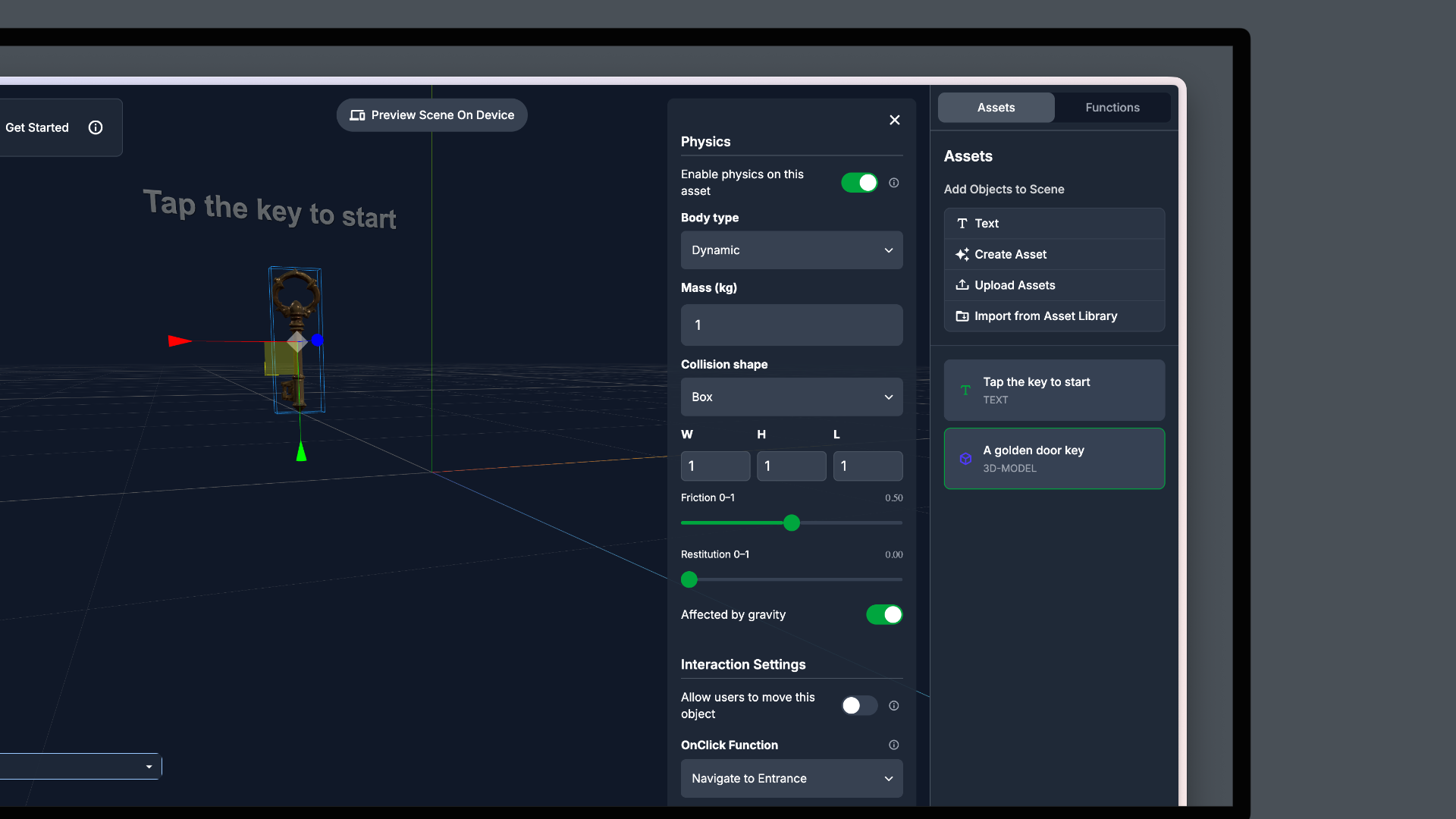
ViroReact’s physics engine has been one of its standout features for developers, and now it is available directly in the Studio Editor. You can control scene-level physics for your assets without writing a single line of code.
But it is not just about adding gravity or making objects fall. With physics in the Editor comes a powerful new capability: collision-based functions. You can now define what happens when two specific assets collide, whether that is triggering a scene change, firing an alert, starting an animation, or any other supported function. This opens up a whole new layer of interactivity for experiences built in Studio, from AR games to interactive product demos.
Custom Shaders, One Click Away
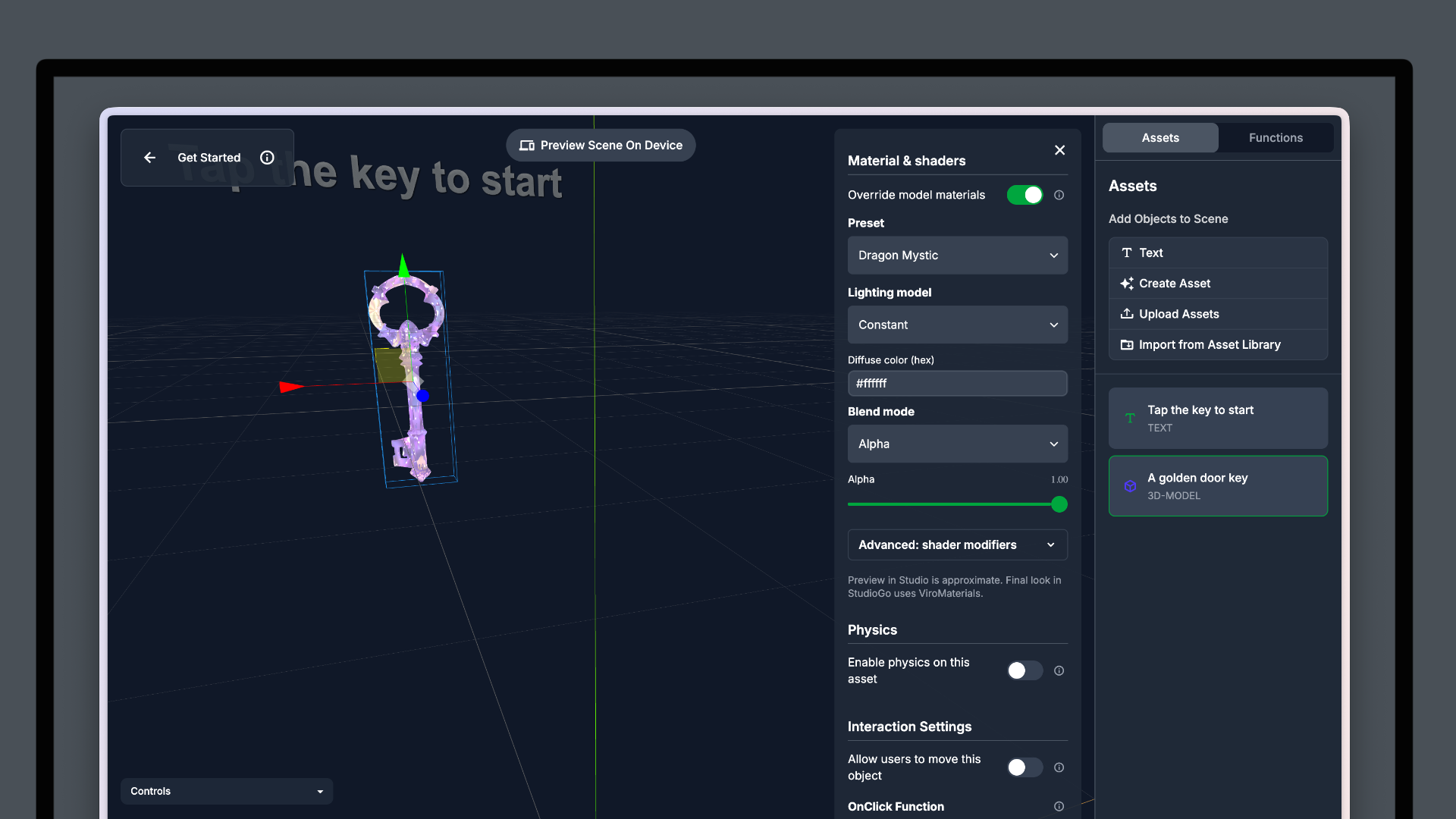
Back in February, we shipped one of our biggest ViroReact updates with full custom shader support. With this Studio release, that power is now accessible directly in the Editor.
You do not need to write shader code to use them. We have built a library of preset shaders that you can apply to any asset with a single click. Want a holographic material on your product model? A glowing rim light on a character? A stylised water effect on a surface? Pick a preset, apply it, and see the result immediately in the viewport.
For teams and creators who want advanced visual effects without a graphics programming background, this is a game-changer.
Animations: Create, Preview, and Loop
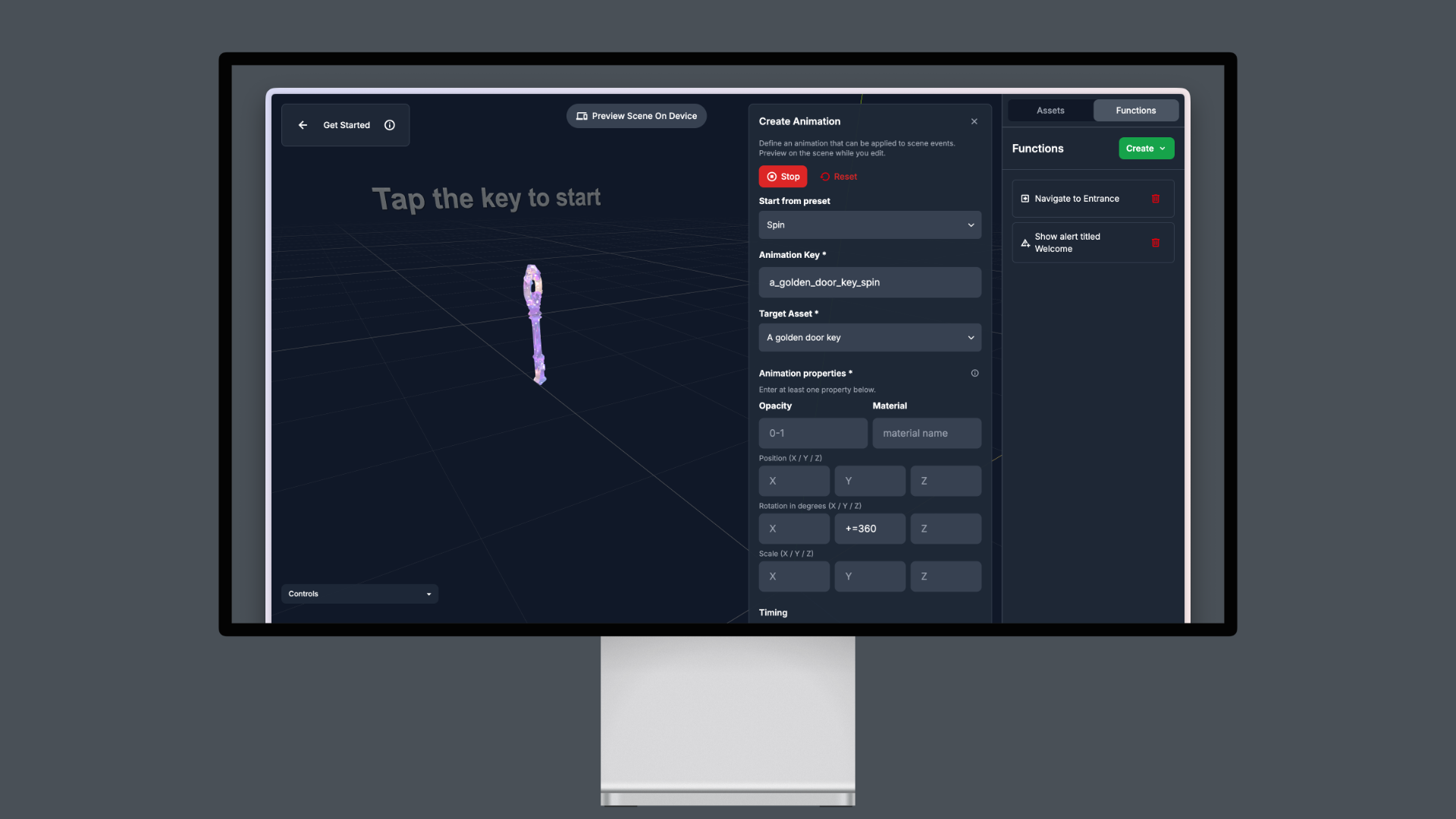
The third major Editor addition is a full animation system. You can now create animations for your assets directly in Studio, with support for animation previews so you can see exactly what your animation looks like before testing on a device.
The system supports looping animations for continuous effects, and we have also included a library of pre-made animations you can apply instantly. Whether you need a gentle floating effect, a rotation, a bounce, or something more complex, you can get started immediately and customise from there.
Everything Works in StudioGo
This is important: every feature above, physics, shaders, and animations, is fully supported in StudioGo. Whatever you build and configure in the Studio Editor will render exactly as expected when you test it on your device through StudioGo.
StudioGo has also received some significant upgrades of its own in this release.
Expo 55 and ViroReact 2.54.0: StudioGo is now running on Expo 55 and ViroReact 2.54.0, which means you get all the benefits of our latest renderer including semantic masking, animated GLB and glTF support, and all the stability fixes from the most recent ViroReact updates.
The New ViroNodeEngine: Under the hood, StudioGo now features our completely rebuilt ViroNodeEngine. This is a new rendering pipeline specifically designed for Studio scenes, and it makes rendering more efficient, faster, and smoother across the board. We are planning to bring ViroNodeEngine into ViroReact itself in a future update, so StudioGo users are getting an early look at where our rendering technology is heading.
Studio Goes Mobile
One more thing. Studio now works on mobile devices and tablets.
The Editor itself remains a desktop experience, as it should be for a visual 3D authoring tool. But everything else, your project admin, user management, API key generation, usage monitoring, and billing, is now fully accessible from any device. Whether you are on a phone checking usage stats or on a tablet managing team access, Studio has you covered.
Get Started
All of these updates are live now in Studio. Log in and start building, or sign up for free if you are new.
Make sure you never miss a ReactVision update and get access to exclusive Studio discounts by signing up for our newsletter:
Follow us on X for the latest news:
Join the community on Discord:
Happy building!
Get the ReactVision newsletter
Product announcements, including ViroReact, ReactVision Spatial, Editor and MCP updates, direct to your inbox. No spam, and you can unsubscribe at any time.