XR CMS: update AR and VR content
without an app release.
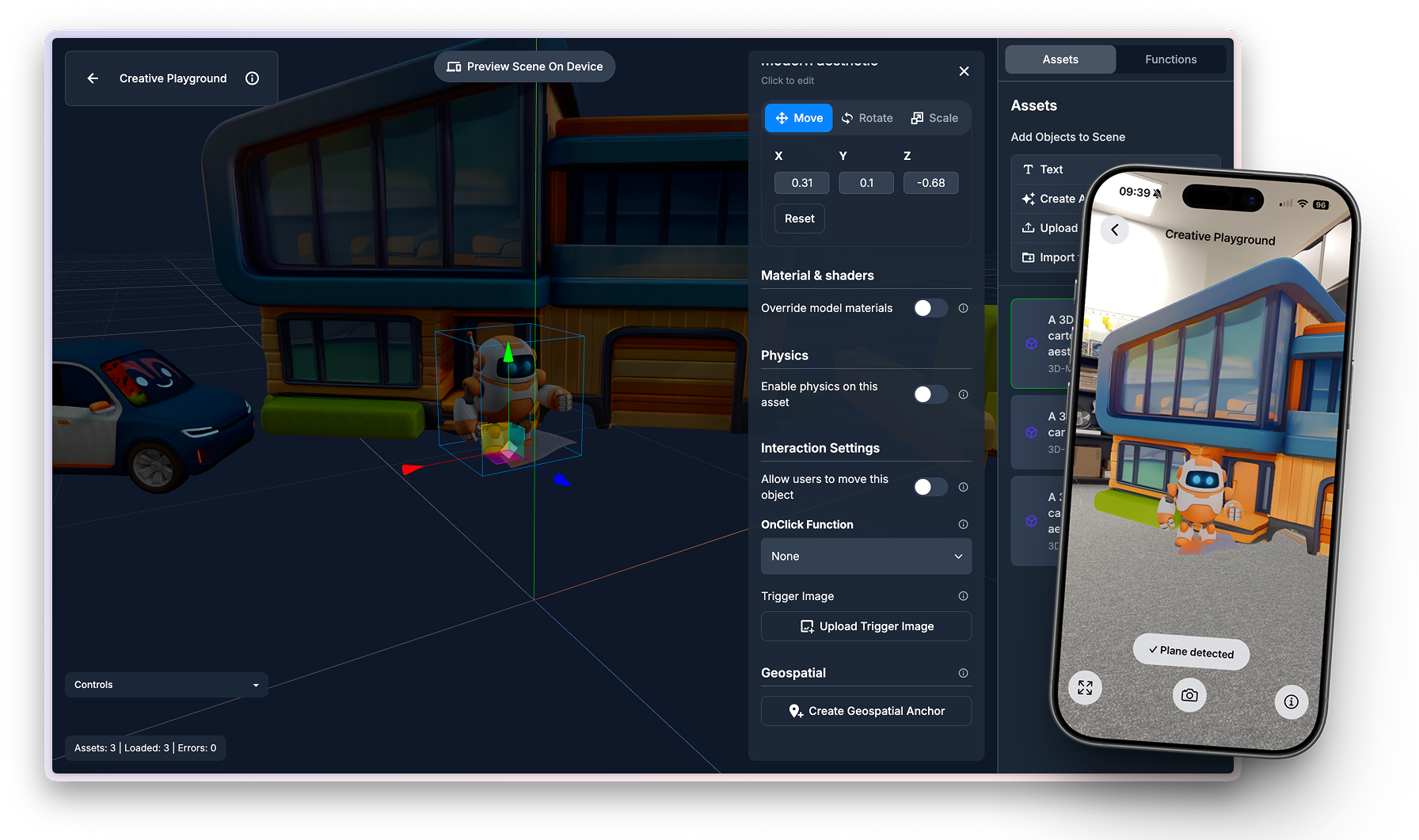
The ReactVision Editor is a visual CMS for XR. Edit a scene in the browser, host it on ReactVision Spatial, and load it in the app with StudioSceneNavigator. Content changes go live without an App Store release, on iOS, Android, and Meta Quest at once.
How the content pipeline works
Three steps between an edit and a live app, none of which is an app release.
Edit in the browser
Designers, marketers, and trainers change the scene in the ReactVision Editor: swap a model, move an anchor, update copy, retime an animation. The AI agent can do the legwork from a prompt.
Host it on ReactVision Spatial
Publish, and the scene and its assets (3D models, images, video, audio) are hosted on ReactVision Spatial, versioned centrally for every app install.
It streams into the live app
Apps render the hosted scene through the StudioSceneNavigator component. Users see the new content the next time the scene loads. No app store submission, no code change, no release train.
// In your React Native app. Scene content now
// lives in the ReactVision Editor, not in the binary.
import { StudioSceneNavigator } from '@reactvision/react-viro';

export default function App() {
  return <StudioSceneNavigator />;
}
Built for the team, not just the engineer
The point of a CMS is that the people who own the content can change it. In ReactVision the editing surface is the Editor; the rendering is always native ViroReact underneath.
Designers and content teams
Work visually in the browser: drag-and-drop placement, timeline animation, physics presets, AI 3D asset generation, and live device preview through StudioGo. Describe a change and the Editor's AI agent makes it.
Engineers and coding agents
Everything the CMS does is also addressable in code: scenes in ViroReact TSX, asset uploads through the Asset Storage API, and two-way conversion between Editor scenes and code via the MCP server.
What is free, what is paid
The free tier is a real working tier: full editor, AI agent, 500 MB of asset hosting, and enough Spatial API requests to ship a first project. Scenes published on the free plan carry a ReactVision watermark.
What each part of ReactVision does
ViroReact
The open-source native XR renderer. One TypeScript API mapped onto ARKit, ARCore, and OpenXR. MIT licensed, free forever.
ReactVision Spatial
Managed spatial infrastructure: Cloud and Geospatial Anchors, Co-Location, asset hosting, and environment rendering, accessed with an rvApiKey and rvProjectId.
Editor
The browser-based visual editor and CMS for XR scenes, with a built-in AI agent. Free to sign up.
MCP
How coding agents use the stack: live ViroReact knowledge plus tools to validate, run, and test scenes.
Proof it ships
npm installs of ViroReact per month
npm installs in 2025
iOS, Android, Meta Quest, Apple Vision Pro, and the web, from one codebase
Shipped on ViroReact: Looking Glass (geospatial AR heritage storytelling), Pikd (brand AR for Red Bull and Burger King), InkStory (AR image recognition, built solo). The ReactVision MCP server is listed in the Claude Connectors Directory.
Common questions
What is an XR CMS?
Can I update AR content without an App Store release?
Who edits the content, designers or developers?
What does it cost?
Does the same content run on phones and headsets?
What are the technical requirements in the app?
Related comparisons and guides
- Unity alternative for AR and VR →
- Unreal Engine alternative for AR and VR apps →
- Niantic Lightship alternative →
- 8th Wall alternative →
- Open-source Unity and Unreal alternative →
- Best AR/VR/XR tool for React Native →
- Can AI agents build AR and VR apps? →
- Geospatial AR without Niantic →
- One codebase for AR on phones and VR on Quest →
- React Native AR guide →
Put your XR content on a CMS
Create a free ReactVision account, publish a scene, and load it into your app with one component. From then on, content updates are edits, not releases.