ReactVision Studio 1.2.1: No-Code AR Triggers and Model Animations
The last few months of Studio work have been about closing one specific gap: the things you could do in ViroReact with code, but not yet in the editor.
This release closes a lot of it. Studio 1.2.1 makes model animations, tap-to-place, proximity and gaze triggers, and photo and video capture all authorable in the browser, no code required. Alongside that there is a substantial pass over editing ergonomics, anchor management, and the design system across Studio and StudioGo.
Interaction you can author without writing code
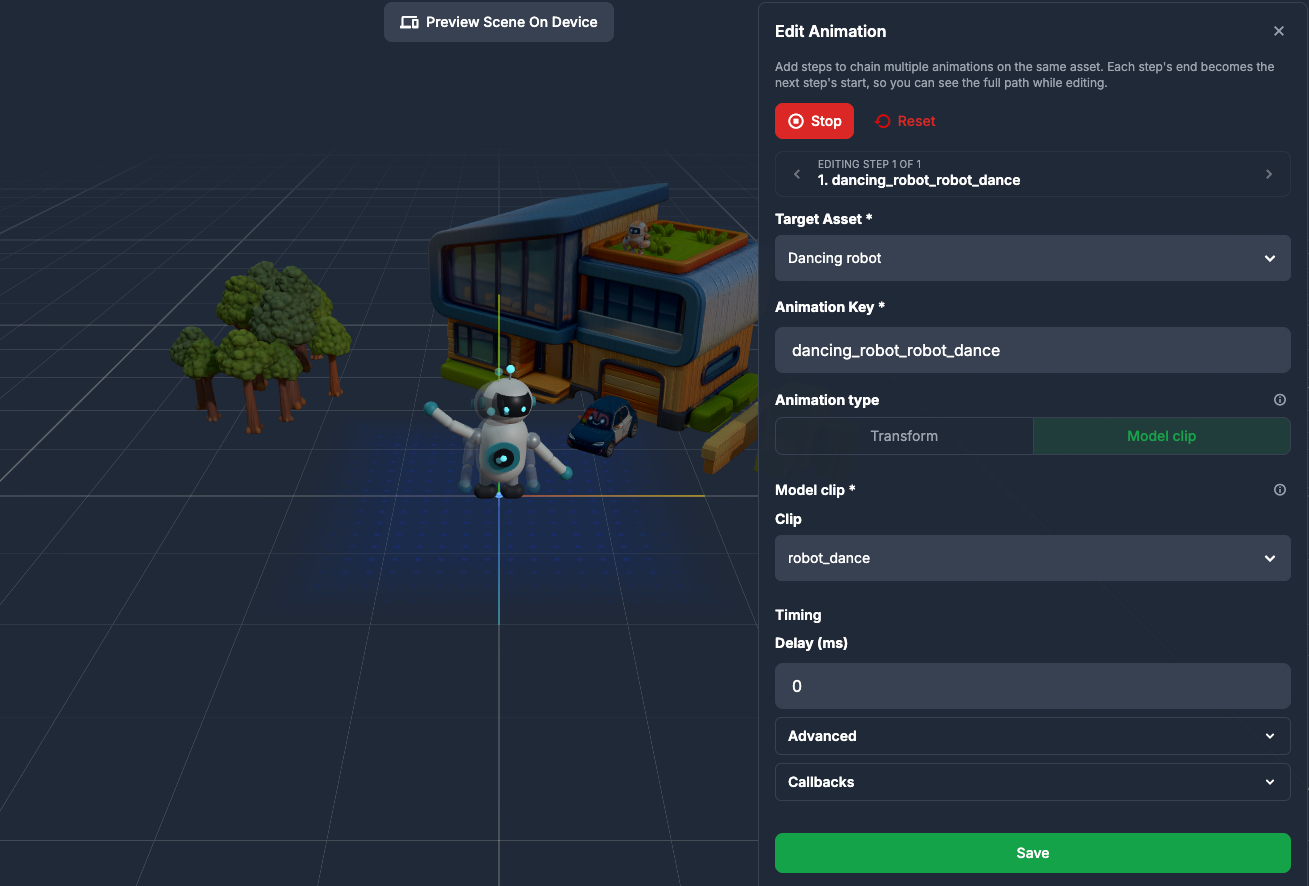
Model clip animations. Animation clips baked into GLB and glTF models now play in Studio. The editor offers a choice between Transform and Model clip, and clips are created automatically when you drop an animated model into a scene. You can preview them in the editor and in the asset preview modal, which has a clip player and a Default pose option. If you have been exporting animated characters and then wiring the playback up by hand, that step is gone.
Tap to Place. A per-object setting that withholds the object at load until the viewer taps a real surface. Objects are held in an ordered queue with reorder controls, and the position you authored becomes an offset from the tap point rather than a fixed world position. It is a screen tap on mobile and a controller trigger on headsets, so the same scene works on both.
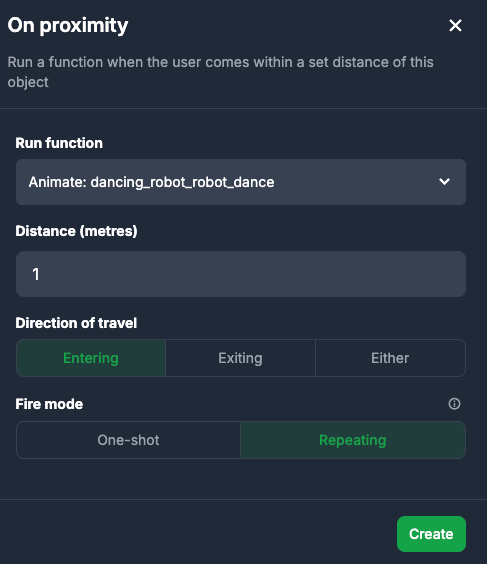
On Proximity trigger. Fires when the viewer comes within a set distance in metres. You choose the direction (entering, exiting, or either) and whether it fires once or repeats. No physics setup required. It is also now editable after creation, which it was not before.
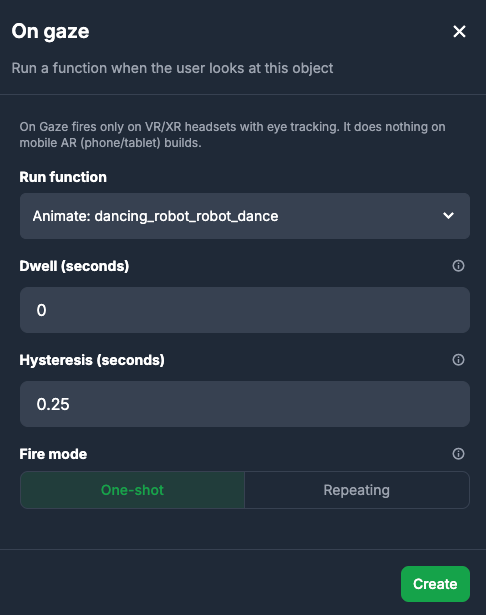
On Gaze trigger. Fires when the viewer looks at an object, with configurable dwell time and a hysteresis window to stop it flickering on and off, plus fire-once or repeating. This is Quest Pro eye tracking only and silently does nothing on phones or Quest 2, 3 and 3S, so you can build it into a scene that ships everywhere. It pairs with the onGaze event that landed in ViroReact 2.57.5.
Take Photo and Record Video. Take Photo saves a still of the AR view to the camera roll. Record Video is a single toggle: the first trigger starts recording, the next stops and saves, with a REC timer pill on screen while it runs. Capture is how most consumer AR actually spreads, so having it as a first-class authoring action rather than a custom build matters.
Editing that gets out of your way
There is a new Snap to ground button, and 3D imports now rest on the surface instead of dropping in at the origin. AI-generated models are pivot-corrected at upload, so they arrive the right way up.
The canvas shows a plane indicator, blue for horizontal and amber for vertical, and vertical scenes now start facing the wall rather than needing to be rotated into place. The right panel is drag-resizable and remembers its width, and the asset properties panel collapses when you need the room.
Smaller things that add up: inline rename for assets and geospatial anchors, drag and drop upload on web with files appearing immediately rather than after a refresh, and a library picker rebuilt as a searchable, type-filtered, paginated table with thumbnails.
Anchor management, rebuilt
Cloud and geospatial anchor lists are now proper tables with a List and Map toggle.
The cloud anchor detail view has a new embedded map, labelled latitude and longitude with copy buttons, copy anchor ID, altitude, device, updated-at timestamp, platform badges, previewable attached assets, and delete with confirmation. Geospatial anchor detail shows the linked item with a preview and direct links.
If you are running Platform anchors across a real site, this is the difference between guessing and knowing what is where.
Accounts, teams and the small stuff
Team creation is now a modal rather than a page, which means it works in place on the OAuth consent screen instead of dead-ending you.
Settings has been reorganised into Preferences (theme and email), a dedicated security page showing 2FA on/off status, About with app version and privacy policy, and Danger Zone as its own section. Feedback has moved to its own screen, reachable from the sidebar.
On the design system: segmented controls have replaced dropdowns, badges are unified, rounded squares have replaced circles, dates are consistently absolute, every password field has a reveal toggle, tooltips anchor to their icon and flip at screen edges and tap-to-pin on touch, and Enter submits nearly every form.
On performance: thumbnails and avatars now download downscaled, and all uploaded and generated files are served with year-long cache headers.
Fixes
- Team owners were receiving no billing or usage emails at all, and owner-only teams got nothing. Fixed.
- iOS plane detection in manual up and down modes.
- MFA and sign-in now return you to the page you came from.
- Zoomed image previews were blurry.
Try it
Studio runs in the browser at studio.reactvision.xyz, and StudioGo previews your scenes on device. Everything in 1.2.1 is live now.
The direction here is consistent: anything ViroReact can do in code should eventually be authorable in Studio, and anything you author in Studio should run everywhere from phone AR to Quest without a rebuild. Triggers and capture were two of the bigger gaps. If there is something you are still dropping into code for, tell us, because that is the list we work from.
Get the ReactVision newsletter
Product announcements, including ViroReact, ReactVision Spatial, Editor and MCP updates, direct to your inbox. No spam, and you can unsubscribe at any time.