Your Coding Agent Can Now Run ViroReact Scenes, Not Just Write Them
Every XR developer knows the loop. Write the scene. Build to a device. Find out the model is sitting behind your head, or the tap does nothing, or the screen is just black. Change one line. Build again.
AI coding agents were meant to make that faster. Mostly they made it busier. An agent can write a ViroReact scene in seconds, and it has no idea whether any of it works. It cannot see the screen. So it hands you confident code and you go and find out, which makes you QA for something that writes faster than you can check.
Six new tools in the ViroReact MCP Server change that. Your agent can now build, check and run its own work before any of it reaches you.
First, it builds with the real API
Start here, because everything after it depends on this.
An agent's training data has a cutoff. ViroReact does not stop shipping. Left to its own memory, an agent writes scenes from a half-remembered version of the library: props that were renamed, components that never existed, patterns we stopped recommending two years ago. The code looks plausible and fails immediately.
Connected to the MCP server, it stops guessing and looks things up. The real component list, the real prop schemas, the real event handlers, real examples pulled from real scenes. This is the part that has been in place for a while, and it is why the new tools are worth anything: there is no point validating code that was invented from scratch.
Then it checks its own work
This is what is new.
Your agent can now run a structural check over a scene it just wrote and get told immediately if a prop is misspelled or a component does not exist. It can hand an error, exception or crash log to a tool that explains what it actually means, rather than guessing at a fix. XR errors are famously opaque, and the knowledge for decoding them has always lived in maintainers' heads and old Discord threads. It is now something any agent can look up.
It can also check the things that only bite later. Models too heavy for the headset you are targeting get flagged before they turn into stutter someone else has to diagnose. Two renders can be compared automatically, so a refactor that quietly moves your model somewhere else gets caught straight away instead of in a bug report.
Then it actually runs it
The one that changes the most. The MCP server can now execute a scene in a real renderer and hand back what appeared on screen. Not a description of what should have appeared. The actual frames.
It can also use the scene: tap an object, wait for the animation, capture the result. So the question stops being "does this look correct?" and becomes "does this work?".
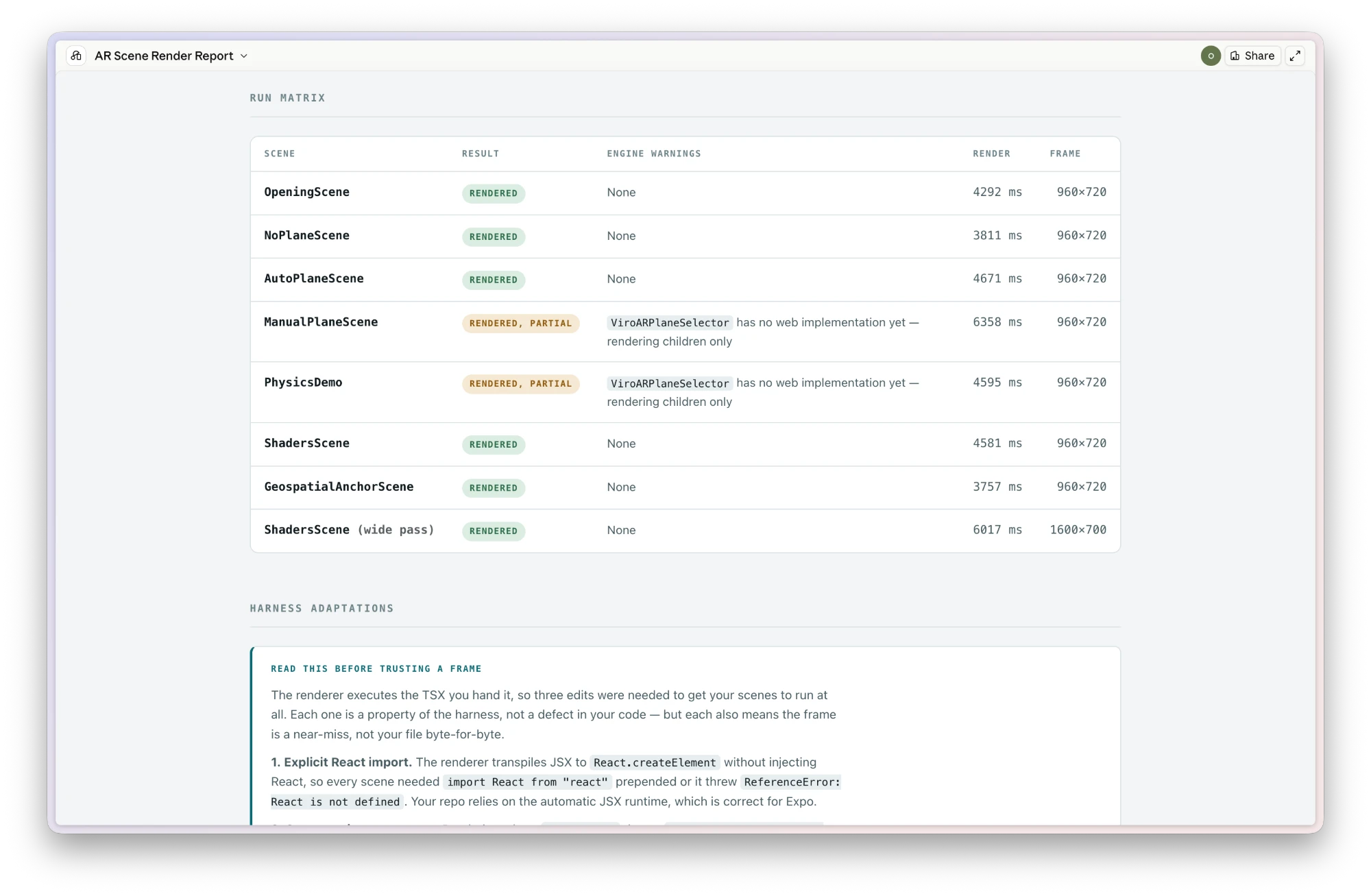
Here is what that looked like in testing. We asked for a scene with a crate you could tap and a label that changed when you did. The generated code was clean. Every component real, every prop valid, nothing a linter would ever object to.
It rendered nothing at all. The scene had been exported without a navigator wrapper, and because nothing was actually misspelled, nothing could have flagged it. In the old workflow you would have found that out on a device, ten minutes later.
Instead the agent saw the blank result, worked out the cause, fixed it, ran it again, tapped the crate, and read the label back:
"Tapped!"
Not "the code looks right". It ran, and it worked.
Studio and code, in both directions
One more thing worth knowing. Building visually in ReactVision Studio and building in code have always been two separate tracks. They now connect. A Studio scene converts into a ViroReact TSX scene, and a TSX scene converts back into something you can keep editing in the browser.
Assets, transforms, materials, animations and scene variables all make the trip. The parts that cannot, like Studio's visual scripting, come back as a clear list of what was left behind, so you are never handed something that only looks finished.
Then it comes to you
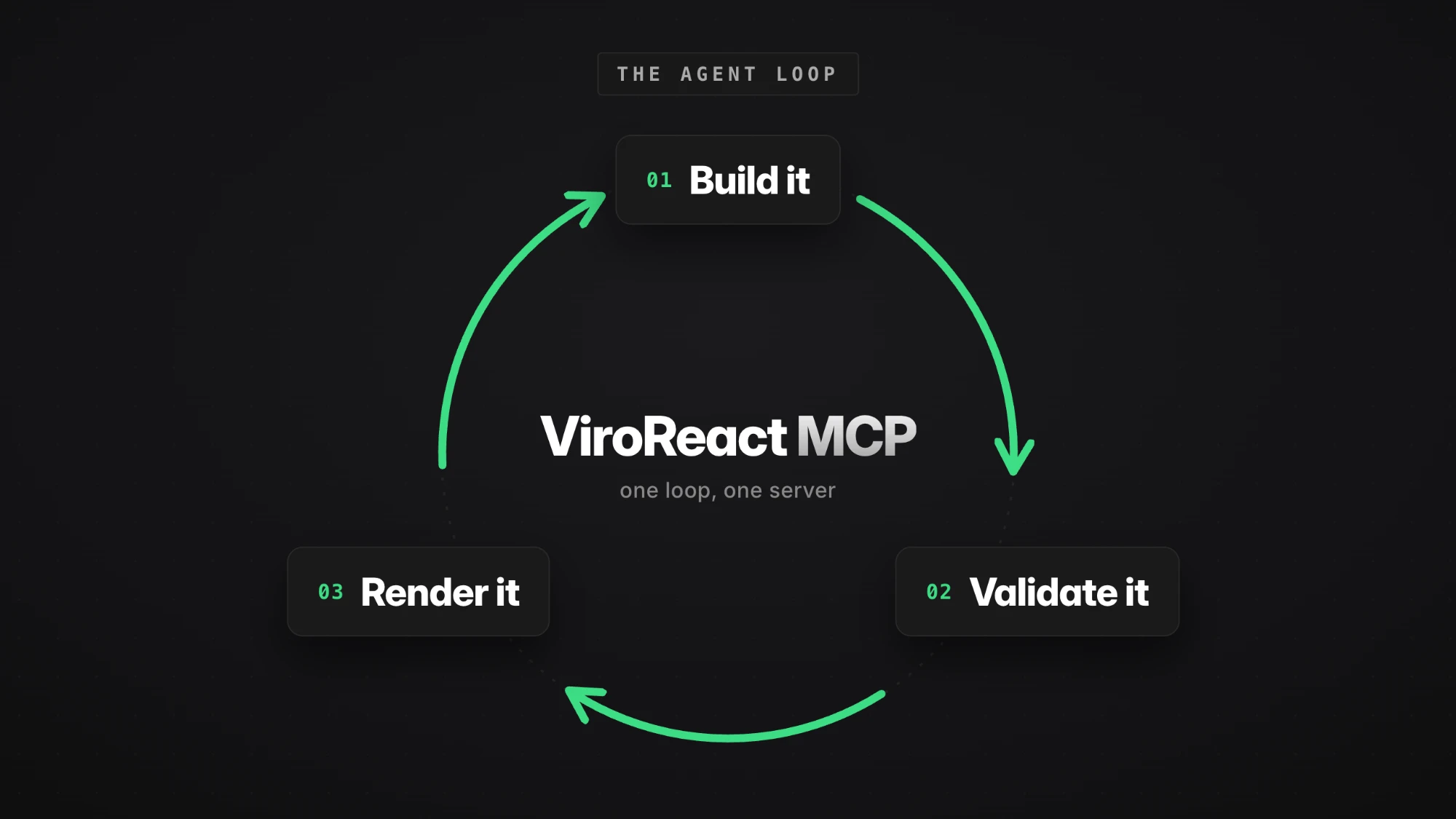
That is the whole arc. Your agent writes against the real API, checks what it wrote, runs it, sees the result, and fixes what broke. All of it before you have opened anything.
Which changes what your review is for. You still test on a real device, because a renderer is not an iPhone in someone's hand and never will be. But you arrive at that step to confirm something works rather than to discover it does not. The obvious failures are already gone.
Less time debugging. More time shipping.
Try it
Add https://mcp.reactvision.xyz/viro to your coding agent and sign in with a ReactVision Studio account. It is free on the free plan.
First of three posts on validation in the ViroReact MCP Server. Next, we get into the detail: which tool to run when, what it costs, and how to set your agent up to do it properly.