Introducing Advanced VPS: AR That Knows Exactly Where It Is
When we shipped ViroReact 3.0.0 in September, we replaced third-party anchors with our own Visual Positioning System. That first version, which we now call VPS-Lite, let you scan a room, host it as an anchor and resolve back into it later.
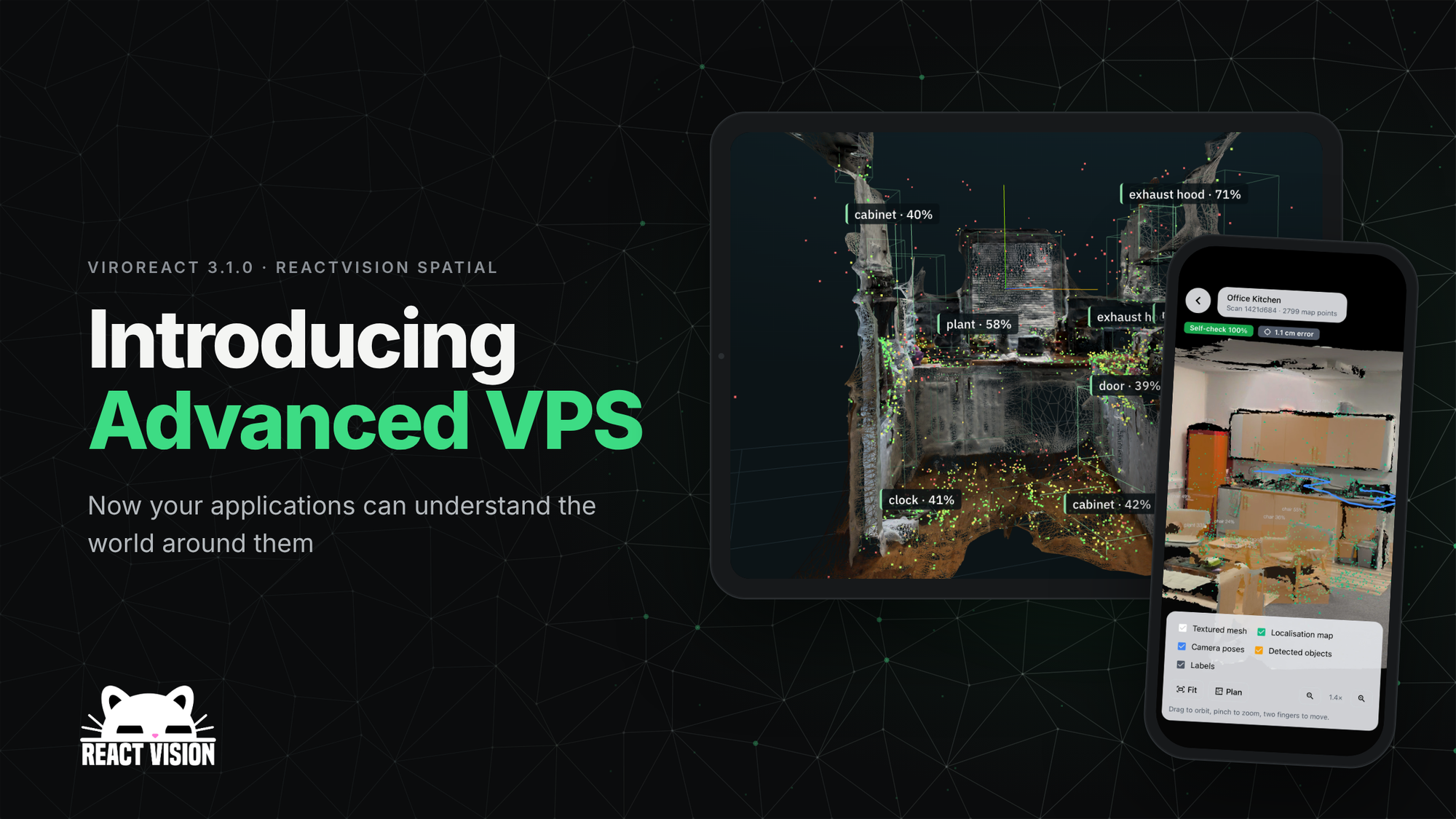
Today, with ViroReact 3.1.0, we're releasing its successor. Advanced VPS is the biggest thing we've built at ReactVision, and it changes what an AR app can know about the world around it. Everything it does is on the new Advanced VPS page.
From an anchor to a map
With VPS-Lite, a location is one frozen scan. Your device resolves into it once and then relies on the phone's own tracking.
With Advanced VPS, a location is a map that gets better every time someone scans it. Your app localises against that map continuously while ARKit or ARCore keep tracking the phone, so drift gets corrected as the user moves. Content, occlusion and physics all live in the map's coordinate frame. Every device sees the same world, and the next session finds everything exactly where it was left.
That is the difference between "put this model roughly where I tapped" and "this sign belongs 1.2 metres from the fire door, for everyone, every time".
Scan once. Get the whole room.
Walk a space for about a minute with an iPhone or Android phone. No LiDAR required. Upload the recording, and our GPU backend turns it into:
- A localisation map your app matches against to know exactly where it is
- A mesh of the space for occlusion and physics, so virtual content hides behind real walls and lands on real floors
- A GLB model of the room you can drop into any 3D tool or viewer
- A Gaussian splat for photoreal viewing of the captured space
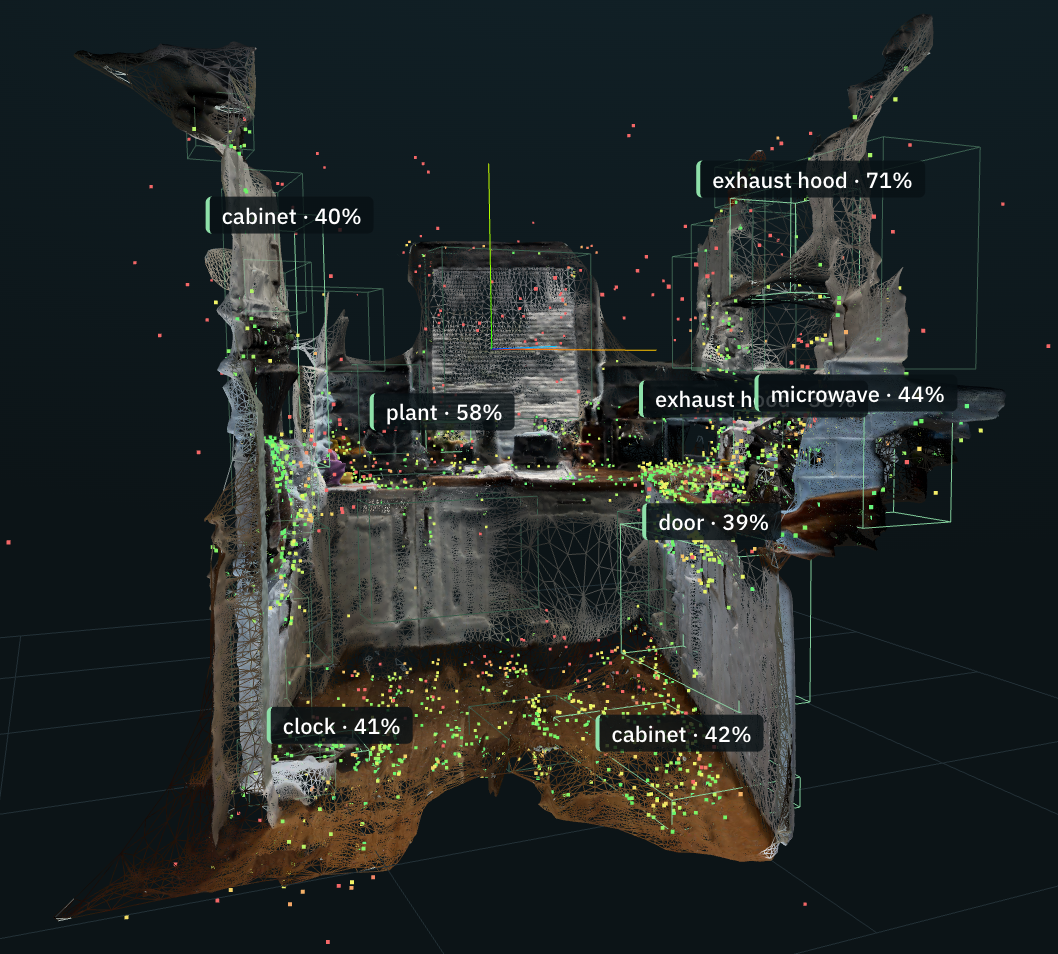
- An object map: the furniture, appliances, doors and fixtures in the room, each with a label, position and bounding box in map coordinates
In one of our test rooms, a dining room, the scan found 22 objects, from the fridge and stove to six chairs and a fire extinguisher. Every one of them comes back in the same coordinates as your content, so placing a label on the fridge is one line of code.
If the phone has a depth sensor, Advanced VPS uses it to build a better mesh, even in rooms with blank walls. If it doesn't, photogrammetry fills in.
Built to hold up in the real world
Visual positioning is easy in a demo and hard in a car park nine days later, at night. So we gave Advanced VPS two ways to localise.
On the device. The phone downloads a compact map (around 1 MB) and matches every frame against it locally. It's fast, it works offline once the map is downloaded, and it costs nothing per session. In our tests it hit a 1.7 cm median error on the same day, in the same light.
On the server. The phone sends one frame a second to our GPU servers, which match it with DISK and LightGlue and send back a pose. The map never leaves the server. This is the mode for places that change: in a car park recorded nine days apart, server mode localised 77% of frames against 16% on-device. At night, 22% against 0%. Median error on the same day: 1.1 cm.
Switching between them is a single prop.
<ViroVPS
  arSceneNavigator={props.arSceneNavigator}
  localization="server" // or "device"
  worldMesh             // occlusion and physics against the real space
/>
Your content never moves
Every new scan of a location is aligned to the existing map, keyframe by keyframe, before anything is built. So when someone rescans a room next month, the map improves but the content you placed in it stays exactly where it was. Once a location has a few scans, we merge them into one map that localises from any direction the scans covered.
Placing content in the map is as simple as wrapping it:
<ViroVPSAnchor>
  {/* metres, Y up, the same on every device and every session */}
  <Viro3DObject source={require("./sign.glb")} type="GLB" position={[1.2, 0, -3.1]} />
</ViroVPSAnchor>
No GPS? No problem.
Indoors, GPS is useless. Advanced VPS can find which location a user is standing in from the camera image alone, searching across every map in your project. Point the phone, and the app knows which room it's in.
Built into ReactVision Spatial and StudioGo
You don't need to write a line of code to try it.
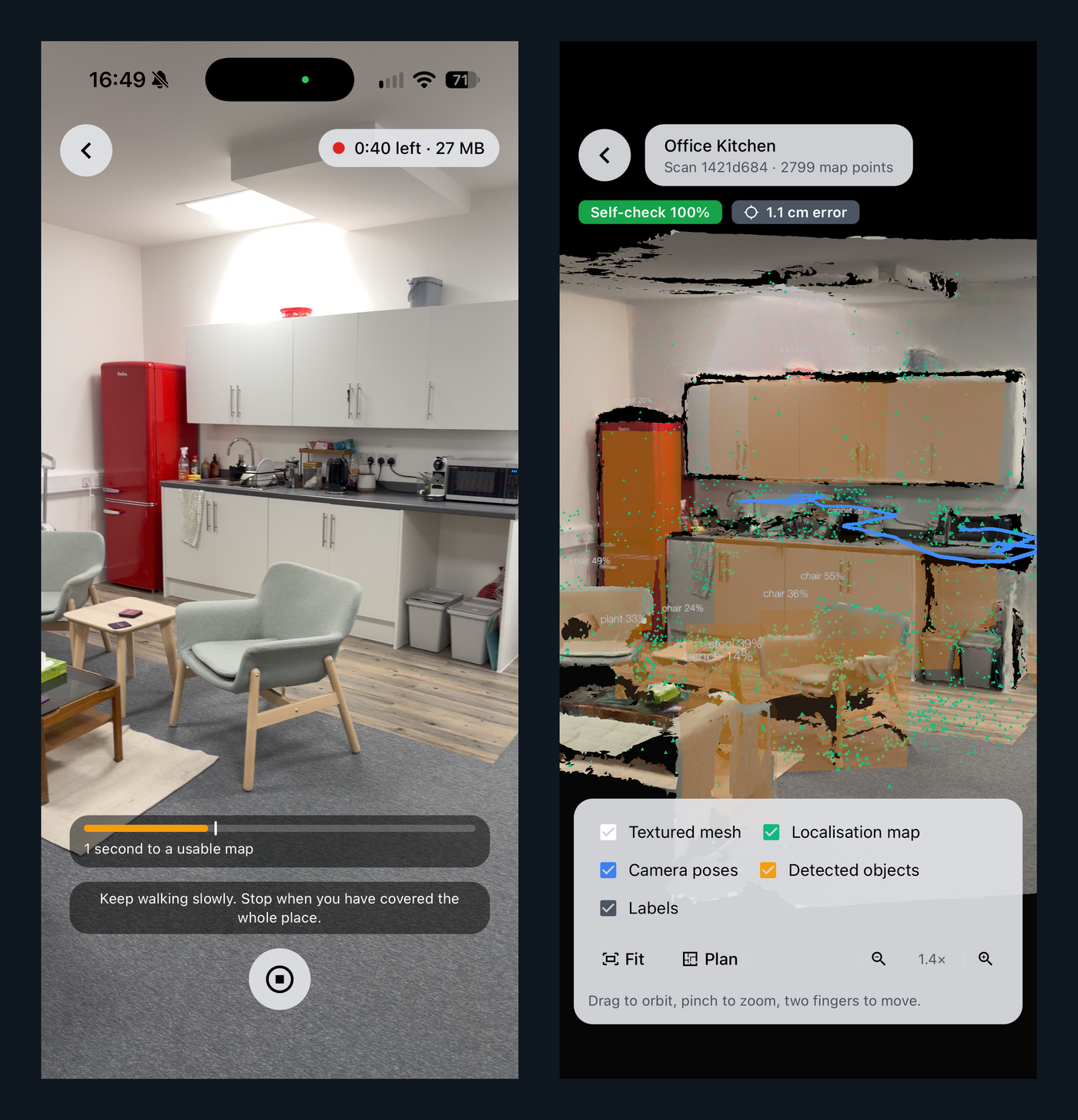
- Scan from StudioGo. Record and upload a scan straight from our free companion app on iOS and Android.
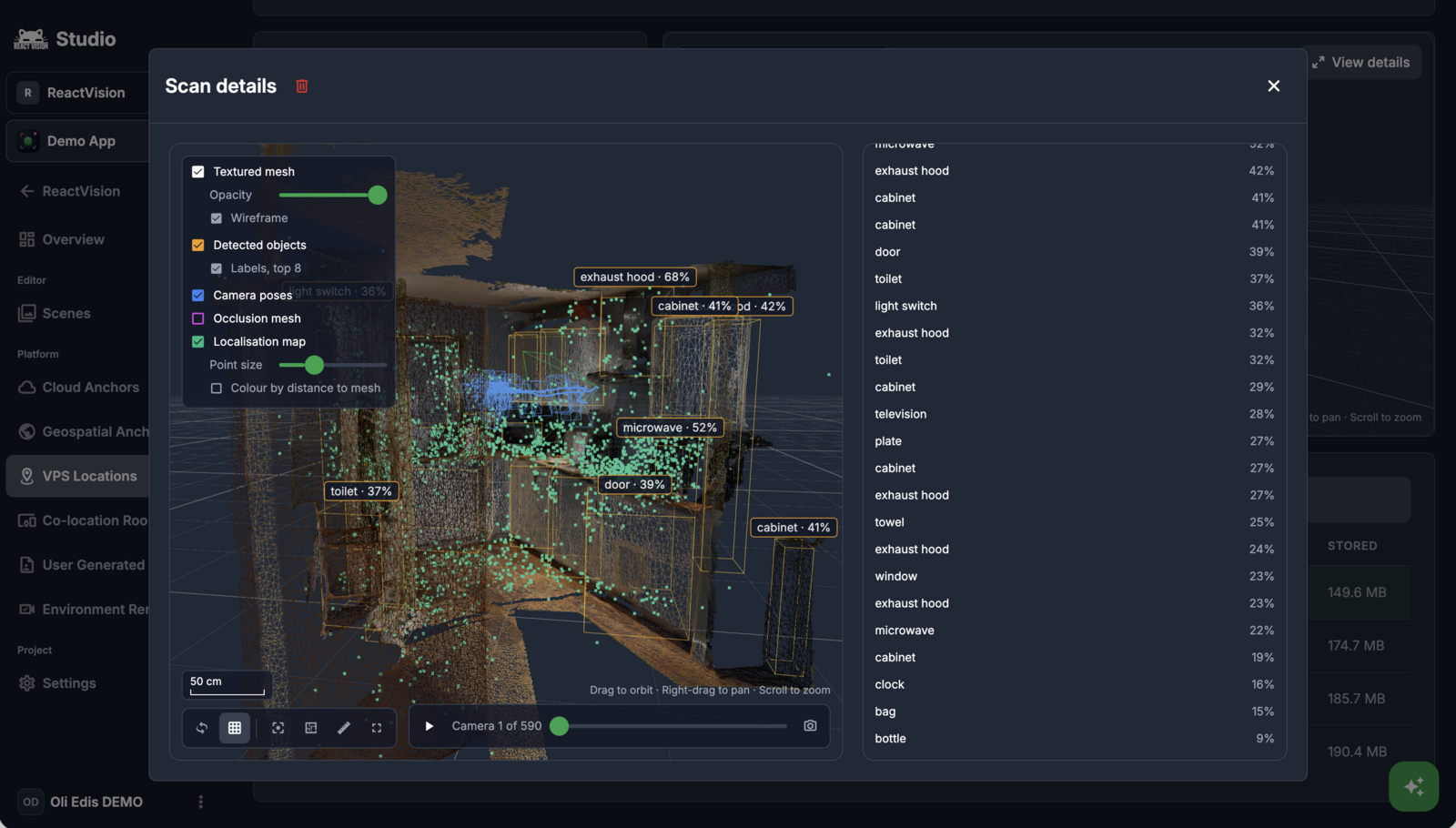
- Review it in ReactVision Spatial. Every location shows its active map, and every scan its status, quality score and cost. The scan preview shows the mesh, the detected objects, the camera path and the map's points.
- Bind a scene to a location. Place assets in the map in the Editor, and they appear in the real room, in the right place, for every user.
We also added live capture guidance to the SDK, so your users get told when they're turning too fast, pointing at the ceiling or standing too close to a wall while they scan.
What you can build with it
This is the piece we've been working towards. Advanced VPS opens up the physical world to ReactVision developers, so the apps you build understand and react to the space they're in.
- Indoor navigation for offices, hospitals, airports and campuses, with wayfinding anchored to the building itself
- Property and real estate: scan a home and get a mesh, a model and an inventory of what's in each room
- Training and simulation: lock procedures and instructions to the exact equipment they refer to
- Retail and museums: content that sits on the right shelf or exhibit, every visit
- Location-based experiences: persistent, shared AR worlds that every player sees the same way
And because ReactVision is built for AI agents, your coding agent can drive all of this through the ViroReact MCP server too.
Fast, because we built the stack
Processing a scan used to take around 15 minutes. We rewrote the pipeline on Eskiu GPU, the GPU layer of our own language, and cut it to about 6. You can read how in Eskiu GPU: How Our Own Language Cut Scan Processing From 15 Minutes to 6.
On-prem and custom capture pipelines
Advanced VPS can be deployed on-premises, inside your own infrastructure. It can also plug into a custom capture pipeline, so devices such as smart glasses and drones can capture a space and feed that capture in. If that is the setup you need, talk to us.
Pricing
Advanced VPS is part of ReactVision Spatial and is available on our Basic and Pro plans.
- Scan processing is $0.60 per minute of compute, drawn from your plan's monthly compute credit first ($5 on Basic, $15 on Pro)
- You only pay for scans that produce an accepted map. Failed or rejected scans cost nothing
- Server-mode localisation is $0.60 per minute, billed by the second
- On-device localisation has no per-session cost
- Owners and admins can set a monthly spend limit, plus a daily scan limit per app user
See the full breakdown on our pricing page.
Get started
- Update to ViroReact 3.1.1:
npm install @reactvision/react-viro@3.1.1 - Try a scan in StudioGo or record one from your own app
- See everything it does on the Advanced VPS page, and read the Advanced VPS docs
Advanced VPS is available on iOS and Android today. We can't wait to see what you build when your app finally knows where it is.
Questions, or something you want to show us? Come and find us on Discord.
Get the ReactVision newsletter
Product announcements, including ViroReact, ReactVision Spatial, Editor and MCP updates, direct to your inbox. No spam, and you can unsubscribe at any time.