Advanced VPS: AR that knows exactly where it is
Scan a place with any phone and get back a map your app localises against, a mesh of the space and every object in it. Content you place stays exactly where you put it, for every device, every session.
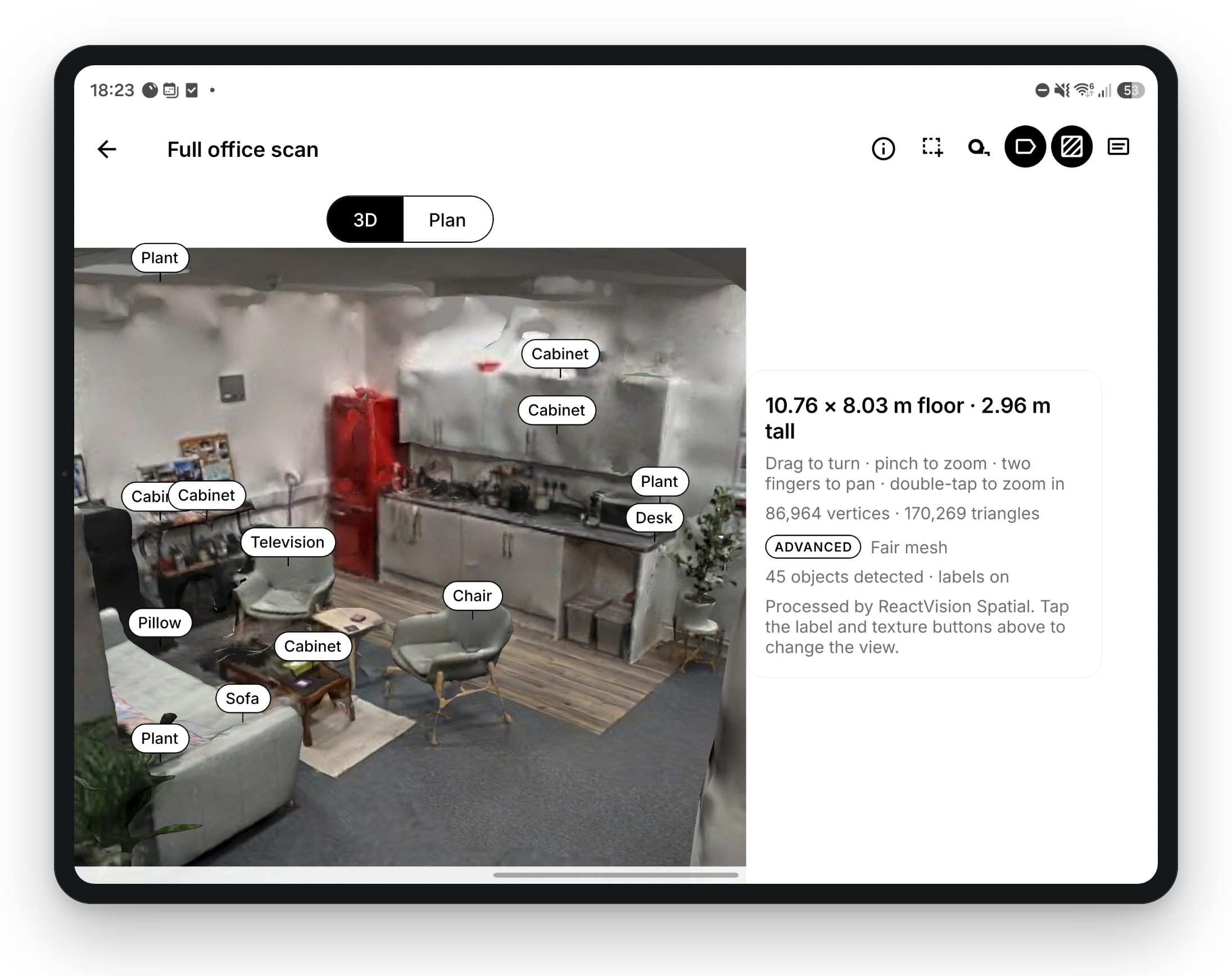
to scan a room with any iPhone or Android phone. LiDAR is optional.
median error localising on the server, in our same-day self-checks.
of frames localised on the server against on the device, in a car park nine days later.
What is Advanced VPS?
Advanced VPS is ReactVision's visual positioning system (VPS) for AR apps. Walk a place for about a minute with an iPhone or Android phone and it becomes a map that improves with every scan, plus a textured mesh, a Gaussian splat, camera poses and every object detected in the room. Apps built with ViroReact localise against the map continuously, on the device or on ReactVision's GPU servers, so content placed in the space stays exactly where you put it, for every device and every session.
How Advanced VPS works
From a one-minute walk to content that stays put, in four steps.
Scan the place
Walk it for about a minute with StudioGo or your own app. Live guidance says how much more to capture, and the recording uploads in the background.
Our GPU backend builds it
The scan becomes a localisation map, a mesh, a Gaussian splat and an object map, aligned to the place's existing map so nothing you placed moves.
Devices localise
Your app finds the place by GPS, by camera image or by id, then localises continuously on the device or on the server while ARKit or ARCore track the phone.
Content stays put
Place scenes in the Editor or wrap content in ViroVPSAnchor. It appears in the same spot for everyone, with the scanned mesh for occlusion and physics.
Scan once. Get the whole room back.
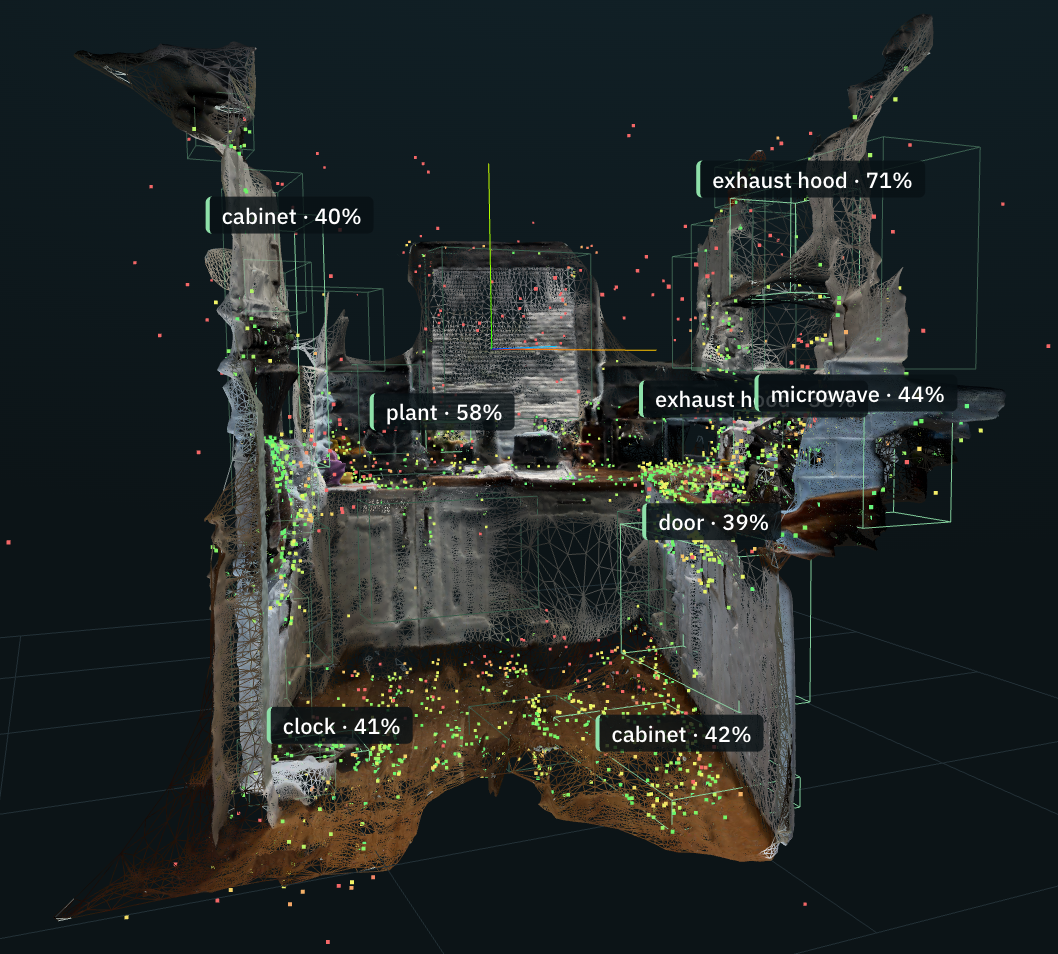
Every scan returns five things, all in the same coordinates as the content you place. Use them in your app, or download them for your own tools.
Localisation map
What devices match against to know exactly where they are. It gets better with every scan of the place.
Mesh
The room's geometry, so virtual content hides behind real walls and lands on real floors.
GLB model
A textured mesh of the space you can drop into any 3D tool, viewer or pipeline.
Gaussian splat
A photoreal capture of the place for viewing, as a PLY file.
Object map
Furniture, appliances, doors and fixtures, each with a label, a position and a bounding box in map coordinates.
Two ways to localise, behind one prop
Match on the phone for speed and offline use, or on our GPU servers for places that change. Both use the same map, so content lands in the same spot either way.
| Localisation mode | On the device | On the server |
|---|---|---|
| How it works | The phone downloads a compact map (about 1 MB) and matches every frame itself | The phone sends a frame a second; our GPU servers match it and send back a pose |
| Same day, same light | 1.7 cm median error | 1.1 cm median error |
| Days later, other light | 16% of frames localised in a car park nine days later, 0% at night | 77% of frames localised in the same car park, 22% at night |
| Connection | Only to download the map | Needed for every fix |
| Cost per device | None after the download | Billed as compute time |
| Switching | localization="device" (the default) | localization="server" |
Figures from our tests on recordings of the same places on different days, including a car park recorded nine days apart at noon and at night.
A few lines of ViroReact
Advanced VPS ships in ViroReact 3.1.0. ViroVPS finds and tracks the place; ViroVPSAnchor holds your content in its coordinates. Scanning from your own app is one call to uploadScanRecording.
Building with a coding agent? The ReactVision MCP server gives it the current VPS APIs. Prefer no code? Place scenes in a scanned place in the Editor and open them in StudioGo.
import { ViroARScene, ViroVPS, ViroVPSAnchor, Viro3DObject }
  from '@reactvision/react-viro';

export function SignScene({ arSceneNavigator }) {
  return (
    <ViroARScene>
      {/* Find the nearest scanned place, then keep tracking it */}
      <ViroVPS
        arSceneNavigator={arSceneNavigator}
        localization="server"   // or "device"
        worldMesh               // occlusion and physics against the real place
      />
      {/* Map coordinates: metres, Y up, the same on every device */}
      <ViroVPSAnchor>
        <Viro3DObject
          source={require('./sign.glb')}
          type="GLB"
          position={[1.2, 0, -3.1]}
        />
      </ViroVPSAnchor>
    </ViroARScene>
  );
}
Manage every place in ReactVision Spatial
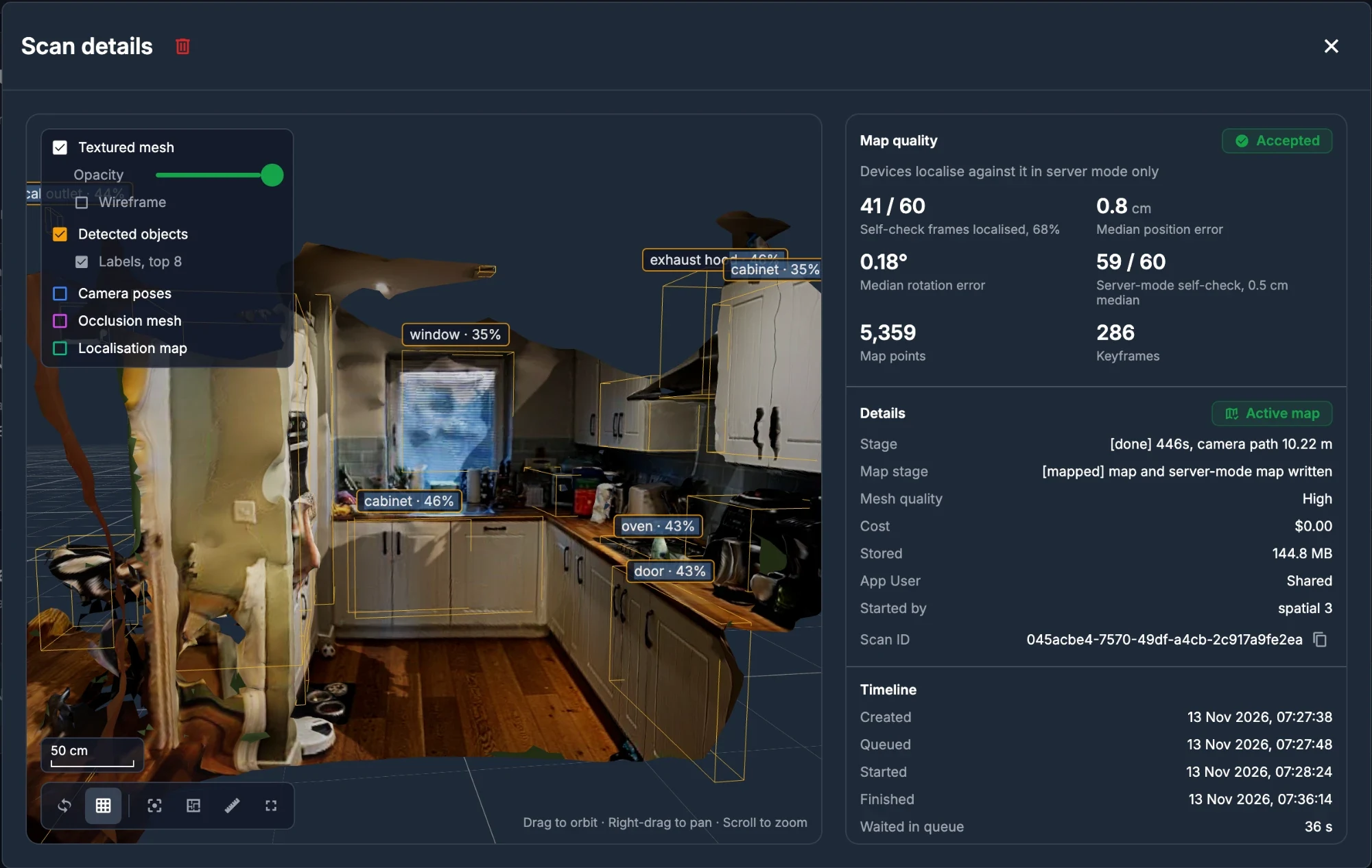
Each project gets VPS Locations: every scan of a place with its progress, quality readings and cost, a 3D preview with measuring and the recorded camera views, and every file to download. Owners and admins set a monthly spend limit and a daily scan limit per app user.
What teams build with Advanced VPS
Facilities and real estate
A map, a 3D model and an inventory of every building, kept current by rescanning.
Training in place
Procedures pinned to the real equipment, in the room where the work happens.
Maintenance and field work
Inspection notes and instructions that stay on the right valve for the next technician.
Wayfinding
Indoor directions and labels where GPS does not reach, found by camera image.
Retail and venues
Content placed on real shelves, walls and stands that every visitor sees in the same place.
Robots and spatial data
Location and setting data for robots working in the same building as people.
On-prem and custom capture pipelines
Advanced VPS can be deployed on-premises, inside your own infrastructure. It can also plug into a custom capture pipeline, so devices such as smart glasses and drones can capture a space and feed that capture in.
Talk to us about an on-premises deployment or a capture pipeline of your own.
Pricing and deployment
Paid plans
$0.60 a minute of scan processing, only for scans whose map is accepted, and $0.60 a minute of server localisation, billed by the second. Basic includes $5 of compute credit a month and Pro $15.
Enterprise and on-premises
Negotiated compute rates for high usage, and the whole pipeline inside your own network on your own GPU servers, with SSO and audit logging.
VPS-Lite, free
Need only to resolve back into a room? VPS-Lite scans a room, hosts it as an anchor and matches on the phone, free on every plan.
Advanced VPS runs on iPhone, iPad and Android with ViroReact 3.1.0 or later. Read the full story in Introducing Advanced VPS.
Advanced VPS questions, answered
What is Advanced VPS?
How is Advanced VPS different from VPS-Lite?
Which devices does Advanced VPS run on?
Do I need a phone with LiDAR?
How accurate is Advanced VPS?
What files do I get from a scan?
How much does Advanced VPS cost?
Can Advanced VPS run on-premises?
Does Advanced VPS need GPS?
How does Advanced VPS compare to Niantic Lightship VPS?
Scan your first place today
Create an account, open StudioGo on your phone and walk the room. Or talk to us about Advanced VPS across your sites.