Introducing the ReactVision Platform: Cloud Anchors, Geospatial Anchors, and Asset Storage for…
Introducing the ReactVision Platform: Cloud Anchors, Geospatial Anchors, and Asset Storage for Mobile AR
Today is a big day. Studio is getting a major update, and with it comes a set of new platform services that are baked directly into ViroReact 2.53.0. This is not just a feature release; it is a fundamental expansion of what ReactVision offers.
As part of this update, Studio now has two distinct feature sets: Platform and Editor. In this post, I want to dive into the Platform side of things, what it is, what it includes, and why it matters.
If you want to learn more about the Editor updates, including our major asset generation overhaul, head over to our companion post:
How We Think About ReactVision
Before getting into the features, it helps to understand how all the pieces fit together.
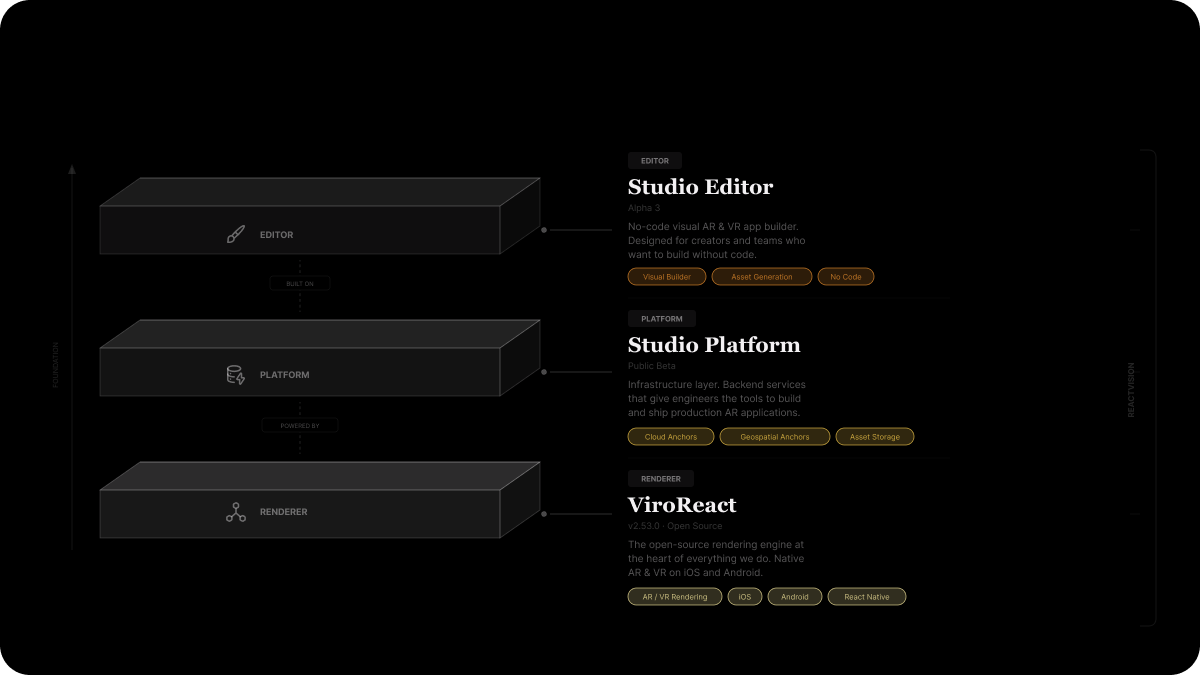
ViroReact is our core renderer. It is the open-source engine at the heart of everything we do, handling all AR and VR rendering natively on iOS and Android.
Platform is the new infrastructure layer. These are tools and services available in Studio and integrated directly into ViroReact. They give engineers the backend infrastructure they need to build and run real AR applications, things like persistent content, shared experiences, and asset management, all powered by ReactVision.
Editor is our no-code visual AR and VR app-building tool. It uses Platform for its services and ViroReact for its rendering. It is designed for creators and teams who want to build spatial experiences without writing code.
Today, Editor gets a major Alpha 3 update, and Platform launches into public beta.
Cloud Anchors
Cloud Anchors allow multiple users to share the same AR experience in the same physical space. When one user places a virtual object, other users in that space can see it too, all anchored to the same real-world position.
Here is how it works: when a user creates an anchor, ViroReact maps the surrounding environment and uploads that spatial data to ReactVision’s cloud. When another user enters the same space, their device matches its local environment against the stored data and resolves the anchor, placing the virtual content in exactly the same position.
This unlocks use cases like collaborative design reviews, multiplayer AR games, shared wayfinding, and persistent installations where content stays in place across sessions and users.
Cloud Anchors are integrated directly into ViroReact 2.53.0, so if you are already building with ViroReact, adding shared experiences to your app is straightforward.
Geospatial Anchors
Geospatial Anchors take things a step further. Instead of anchoring content to a mapped physical space, they anchor content to specific GPS coordinates. This means you can pin AR content to a real-world location, a storefront, a park bench, a landmark, and anyone who visits that location with your app will see it.
This is powered by a combination of GPS data and visual positioning, so the accuracy goes well beyond what GPS alone can provide. Your content does not just appear “roughly near” a location. It appears precisely where you placed it.
The applications here are exciting: location-based AR experiences, city-scale installations, navigation overlays, tourism guides, and retail activations tied to physical stores.
Like Cloud Anchors, Geospatial Anchors are integrated directly into ViroReact 2.53.0 and can be managed through your Studio dashboard.
Asset Storage
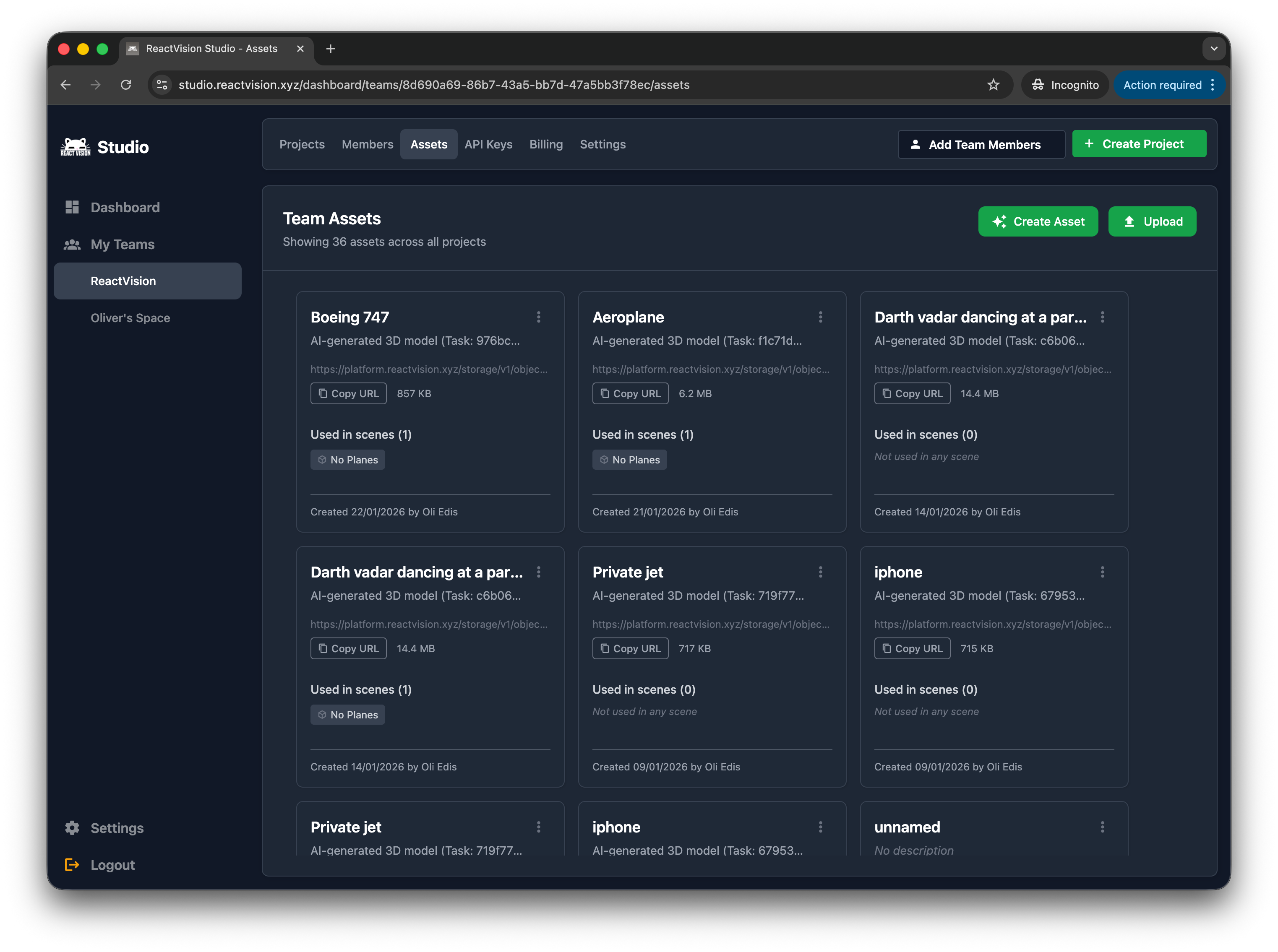
The third pillar of Platform is asset storage. This is a straightforward but essential piece of infrastructure: a place to store and manage the 3D assets your apps use, both for your team during development and for your end users at runtime.
For teams, this means your 3D models, and scenes are centrally managed in Studio and accessible across your projects. No more passing files around or dealing with version conflicts.
For your users, this means their AR content (files they wish to attach to anchors) can be stored and retrieved seamlessly. If you are building an app where users create or customize their own AR content (like our own Play AR app), this is the infrastructure that makes it work.
Asset storage integrates with both Cloud Anchors and Geospatial Anchors, so assets associated with anchors are automatically managed as part of the anchor lifecycle.
Getting Started with Platform
Platform is now available in public beta. To get started, update to ViroReact 2.53.0 and head to your Studio dashboard to set up your API key.
If you want to see what is new in the Editor, check out the companion post:
Get the ReactVision newsletter
Product announcements, including ViroReact, ReactVision Spatial, Editor and MCP updates, direct to your inbox. No spam, and you can unsubscribe at any time.