What’s New in Studio Editor Alpha 3: AI Asset Creation, Trigger Images, and Geospatial Anchors
Alongside today’s Platform launch, Studio’s Editor is getting its biggest update yet. Alpha 3 brings a completely overhauled asset creation pipeline, new spatial features, and a handful of quality-of-life improvements that make building AR and VR experiences in the Editor significantly faster and more intuitive.
If you have not read about the Platform launch yet, I would recommend starting there: Meet The ReactVision Platform
Now, let us get into what is new in the Editor.
Overhauled AI Asset Creation
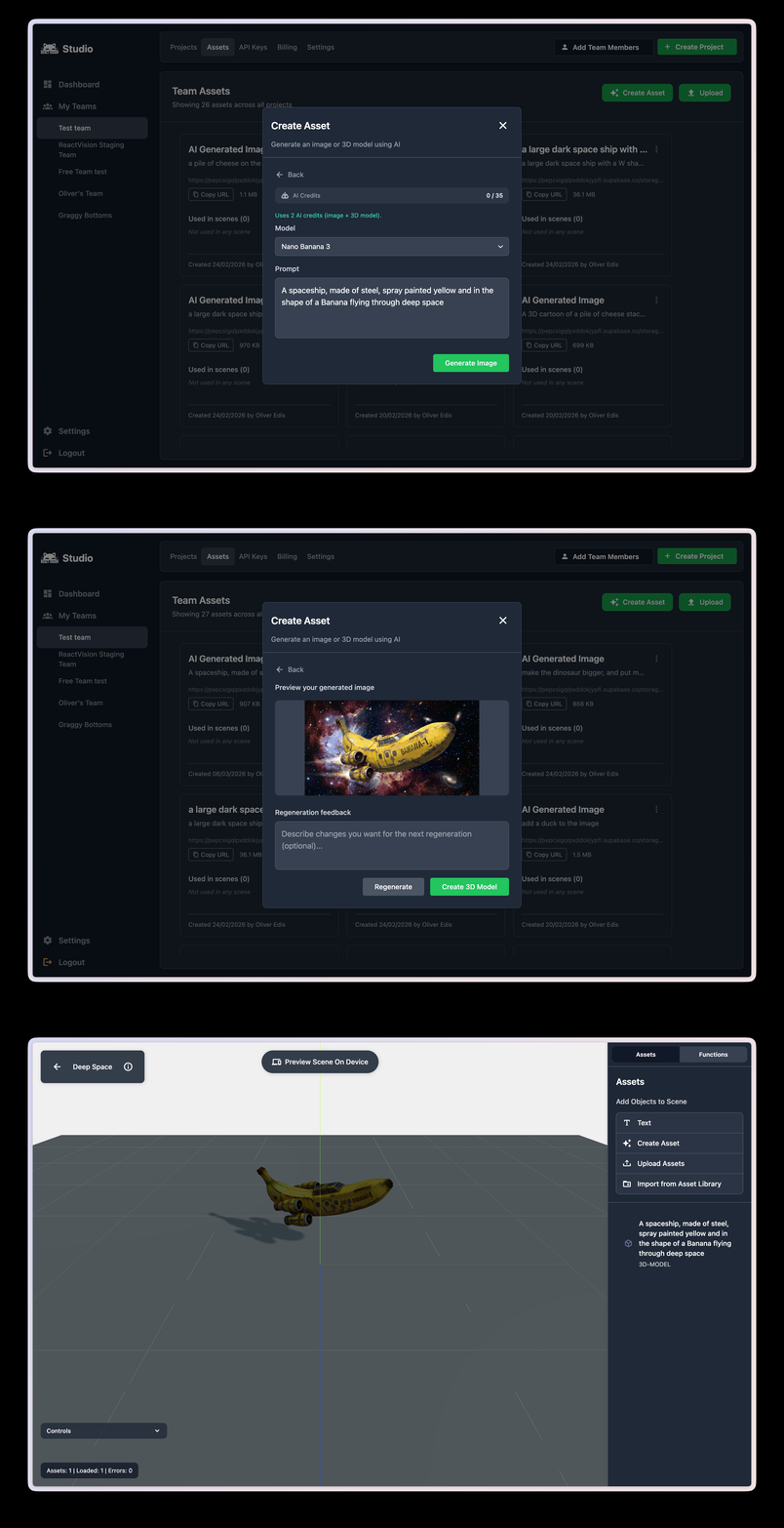
This is the headline feature of Alpha 3, and it is a big one. We have completely rebuilt the AI asset creation tools in Studio, and the result is a much more powerful and flexible workflow for generating 3D models.
Here is what is new:
- Quality Options: You now have the choice between faster, lower-quality model generation for quick prototyping, and slower, higher-quality generation when you need production-ready assets. This gives you control over the speed-quality trade-off depending on where you are in your workflow.
- Image to Model: Upload a reference image and generate a 3D model from it. This is perfect for turning product photos, concept art, or sketches into AR-ready assets without needing 3D modelling skills.
- Image Generation: We have added AI image generation directly into Studio. Need a texture, a reference image, or just a starting point for your asset pipeline? You can generate it without leaving the editor.
- Image Gen to 3D Model Gen: The real power move. Generate an image from a text prompt, then turn that image directly into a 3D model, all within a single workflow. Go from an idea in your head to a 3D asset placed in your AR scene in minutes.
Geospatial Anchors in the Editor
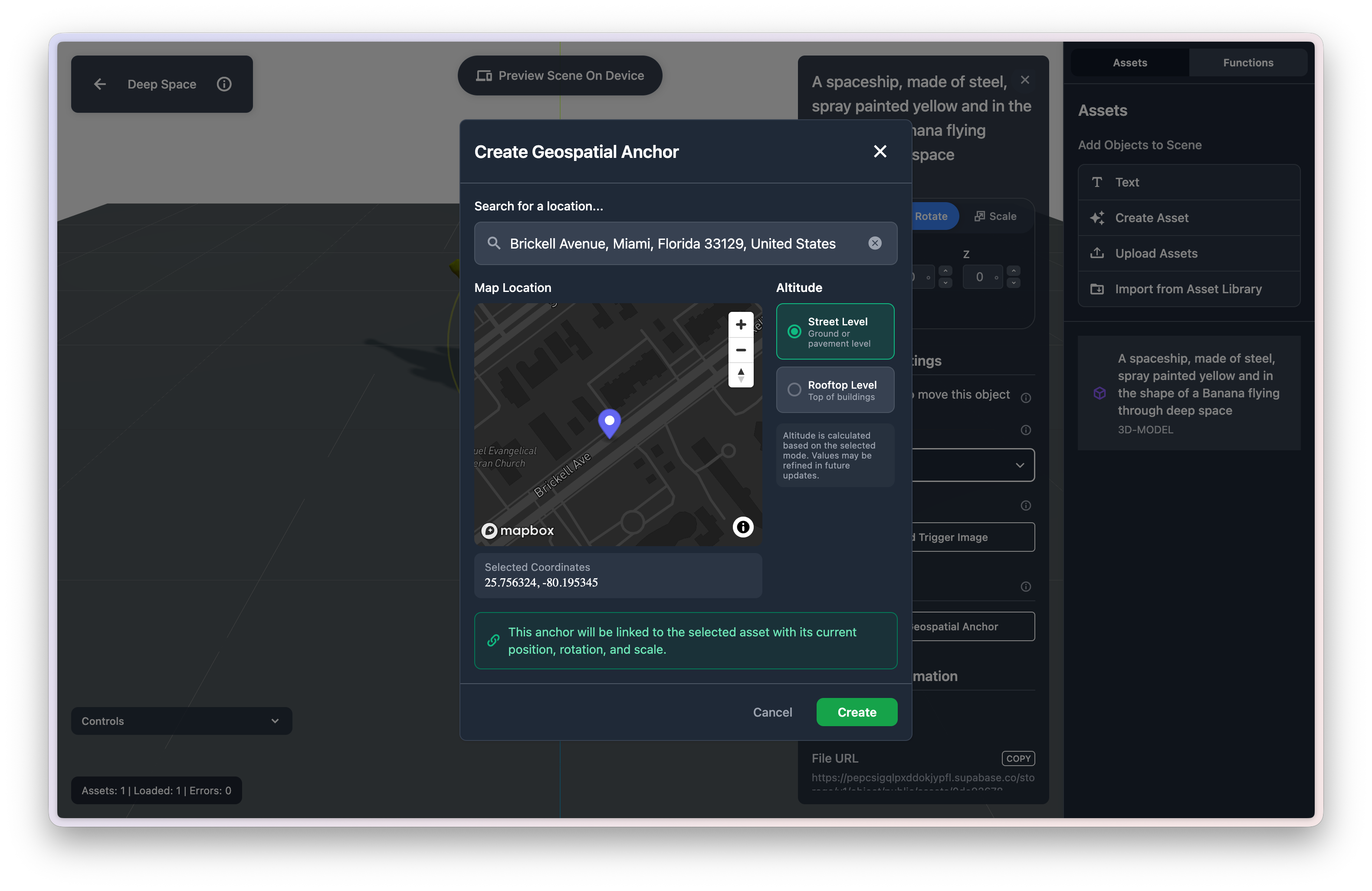
With Geospatial Anchors launching as part of Platform, the Editor now supports them natively. You can assign a geospatial anchor to an individual asset within a scene, or to an entire scene itself.
This means a scene or asset only renders when the user is at a specific geographic location. Think location-based AR experiences built entirely without code.
Trigger Images
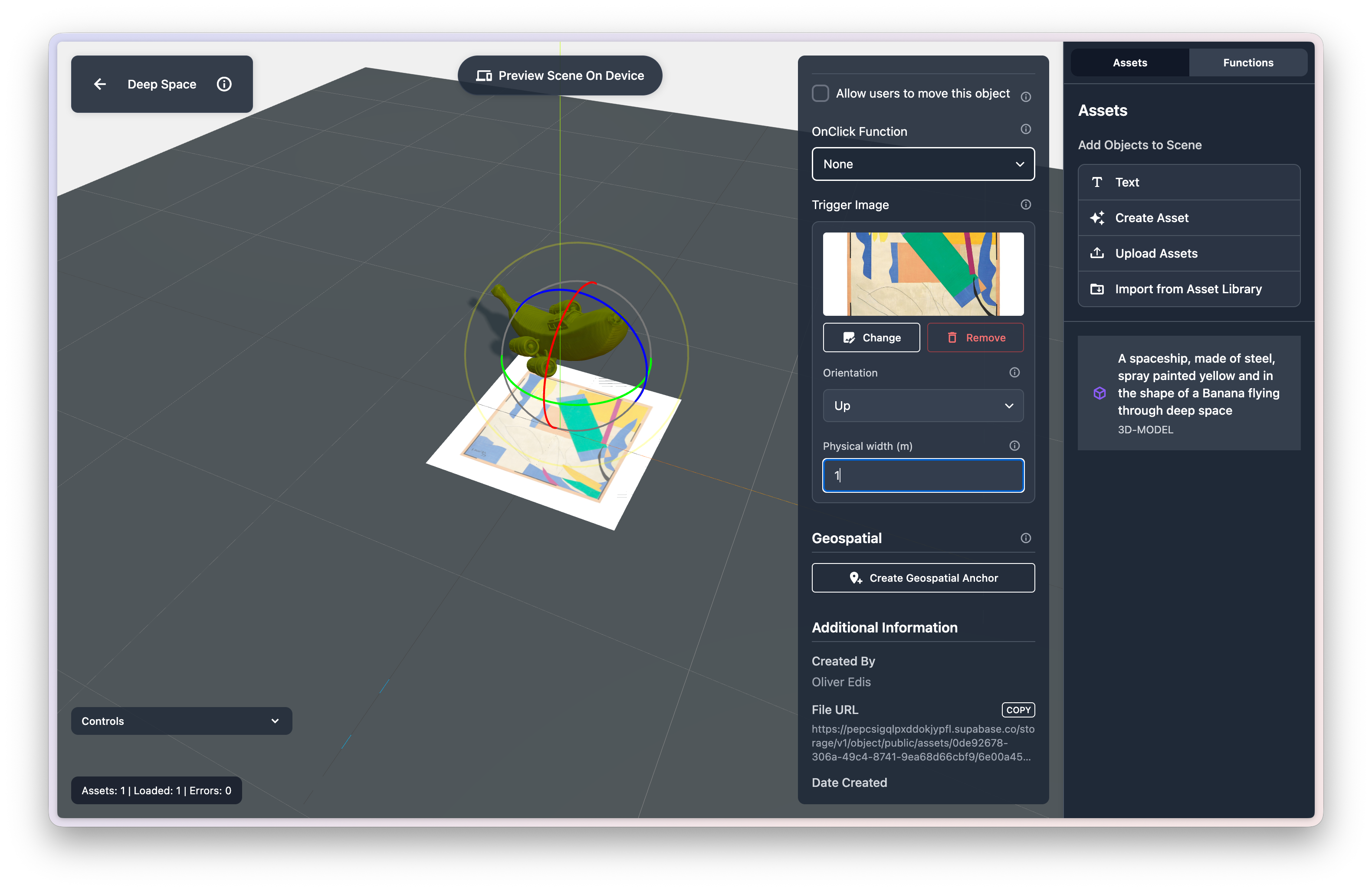
This is a feature I am particularly excited about. You can now assign a trigger image to any asset in your scene. When the scene renders in StudioGo, that asset will only appear when the device’s camera detects the trigger image.
This is powered by ViroReact’s image recognition, and it opens up a lot of creative possibilities: interactive print materials, product packaging that comes to life, museum exhibits with AR overlays, or any experience where you want to tie digital content to a specific physical image.
When you add a trigger image in the Editor, you can see the image in the viewport and position your asset relative to where the trigger will appear. This makes it easy to get the placement exactly right before testing on a device.
QR Code Hand-Off into StudioGo
Testing has always been a bit of a loop: make a change in the Editor, open StudioGo, navigate to your scene, test, repeat. Alpha 3 shortens that loop significantly.
You can now scan a scene QR code directly from StudioGo to jump straight into that scene on your device. No more navigating through menus to find what you are working on. It is a small change, but it makes the edit-test cycle noticeably faster, especially when you are iterating quickly.
Improved Scene Asset Navigation
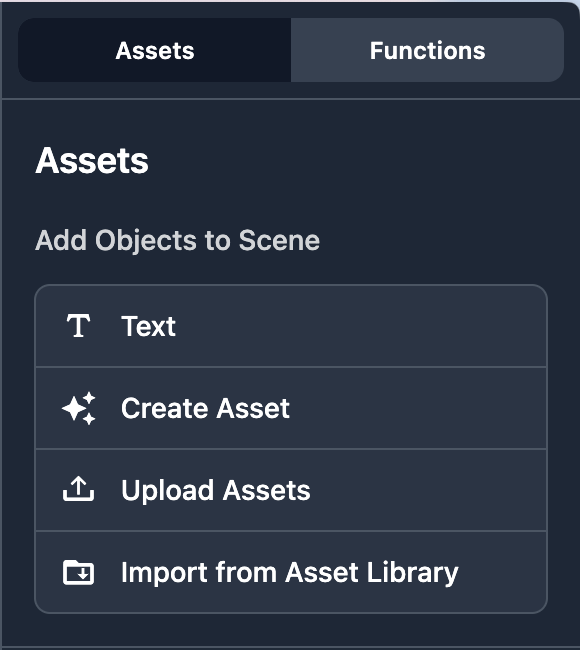
We have completely overhauled the way you add assets into a scene. The previous interface worked, but it took up too much space and was not as intuitive as it should have been.
The new asset navigation is cleaner, takes up less screen real estate, and makes it easier to find and add assets quickly. If you have used the Editor before, you will notice the difference immediately.
Dashboard Resources and Simplified Uploads
Two smaller but welcome improvements round out Alpha 3.
The Studio dashboard now includes a helpful resources section, so you can find documentation, guides, and links to support without leaving Studio.
We have also simplified asset uploads. Instead of different upload flows for different file types, there is now a single upload form that supports all file types. Drag, drop, done.
Try It Out
Alpha 3 is live now in Studio. If you already have an account, just log in, and you will see the updates. If you are new to Studio, sign up for free and start building.
And if you have not already, make sure you read about today’s Platform launch to see the full picture of what is new:
Get the ReactVision newsletter
Product announcements, including ViroReact, ReactVision Spatial, Editor and MCP updates, direct to your inbox. No spam, and you can unsubscribe at any time.