User-Generated Assets, a Refreshed Library, and Daily Improvements: This Week in ReactVision Studio
Since launching Studio’s Editor public alpha and the Platform public beta, we have been shipping updates every single day. Bug fixes, performance improvements, and new capabilities have been landing continuously as we push towards making Studio the best tool for building AR and VR experiences.
This week brought some particularly meaningful updates, and I wanted to highlight the biggest ones.
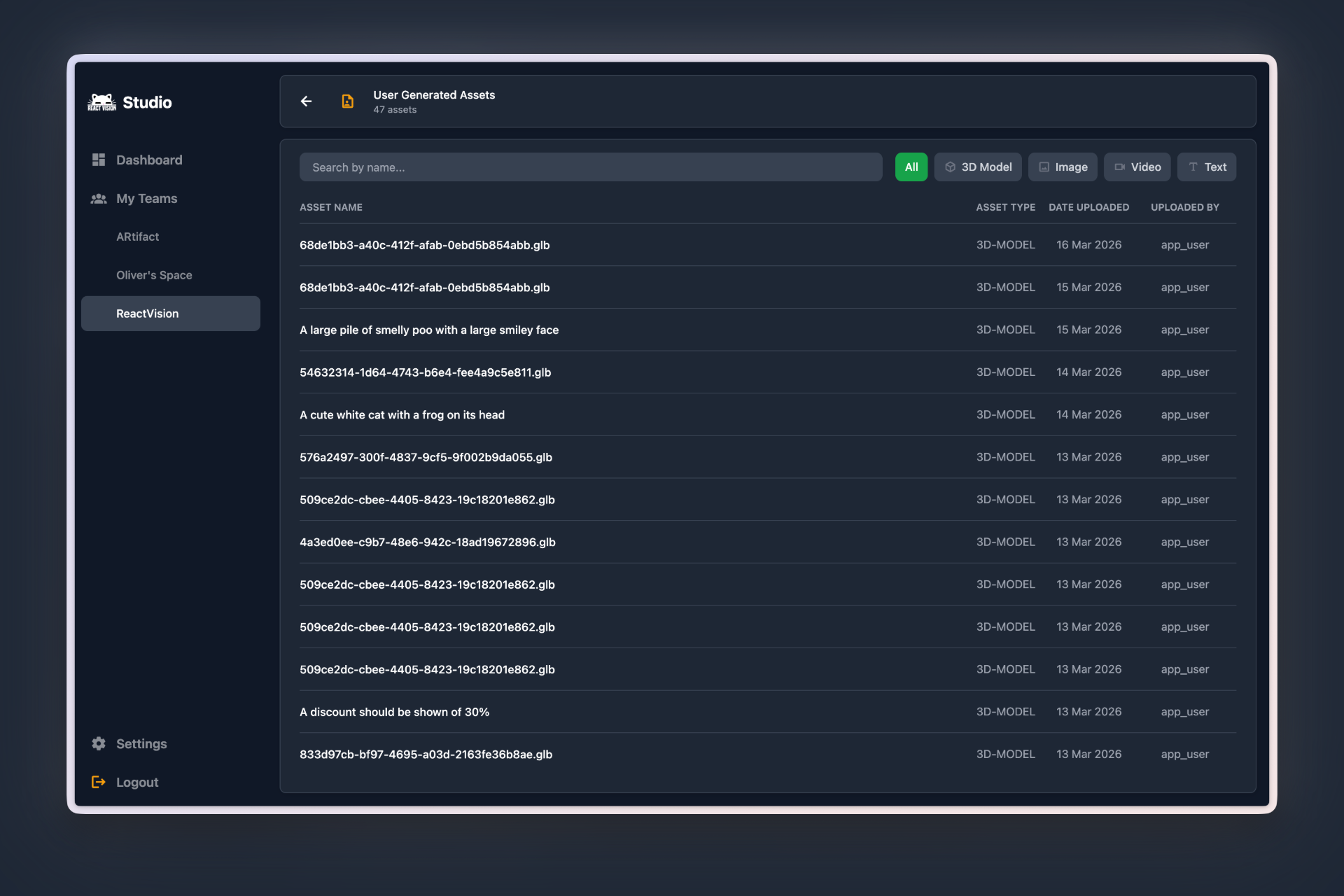
User Generated Assets: See What Your Users Are Creating
Studio now has a dedicated section for viewing and monitoring assets that your end users are storing within your project.
If a user attaches an image or 3D object to an anchor through your app, that asset now shows up in the User Generated Assets section of your Studio dashboard. You can browse everything your users have uploaded, see what is being stored, and keep tabs on the content flowing through your project.
This is especially useful if you have content moderation requirements. Whether you are running a consumer-facing AR experience where users can place their own content in the real world, or you simply want visibility into what is being stored against your project, this gives you a clear window into user activity without needing to build your own tooling.
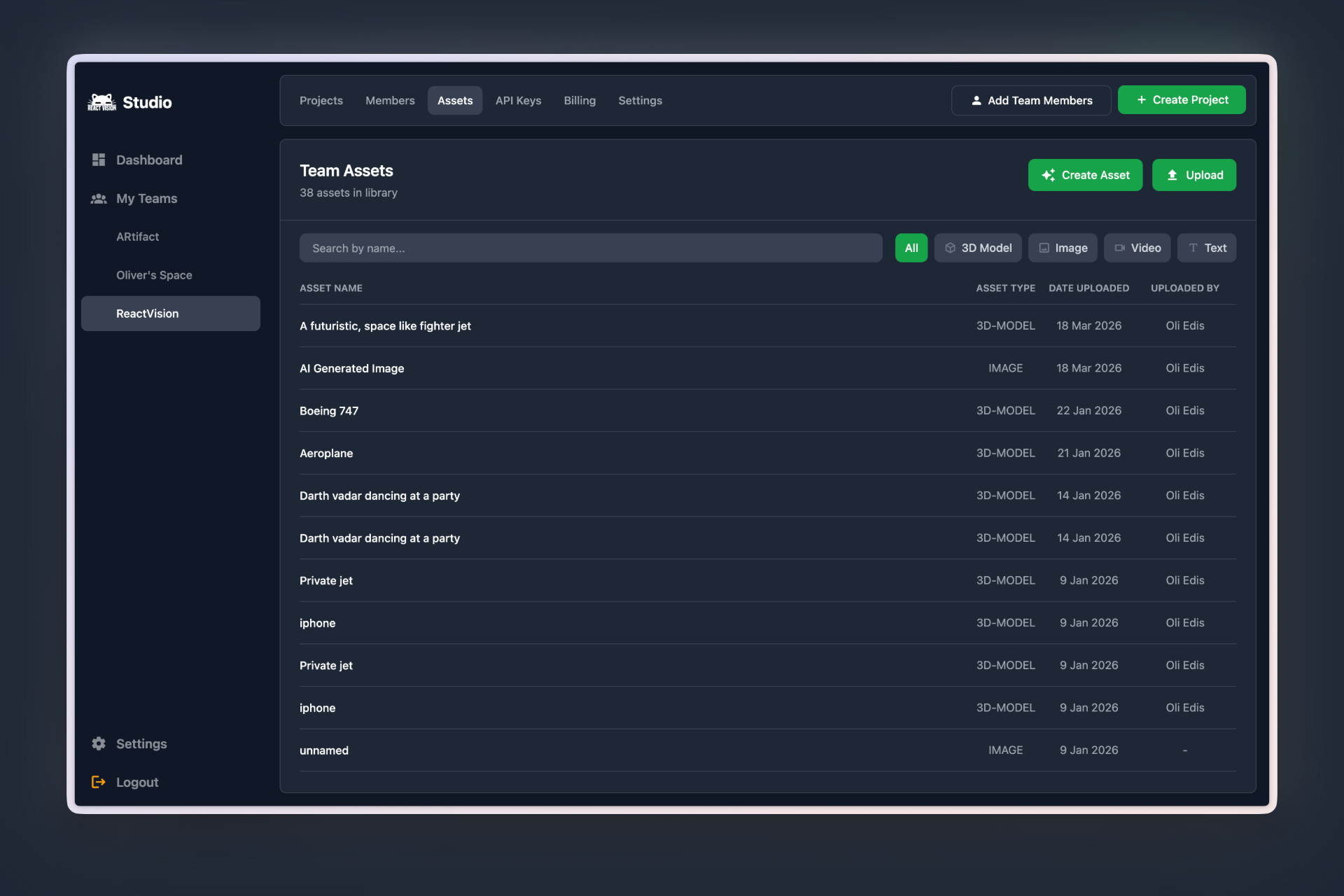
A Refreshed Asset Library
The Asset Library has had a meaningful design overhaul. It now features an asset type filter so you can quickly narrow down to 3D models, images, audio, or video. There is a search field for finding specific assets by name, and we have added pagination to improve load times, particularly for projects with larger asset collections.
You can also now open and preview assets directly from within the library. It is a small interaction change, but it makes a noticeable difference to the workflow. Previously, you had to leave the library to see what an asset actually looked like. Now, you can browse, search, filter, and preview without losing your place.
Alongside refreshed UI, we’ve also added bulk file uploads to the Asset Library; no more uploading your files one by one.
Under the Hood
Beyond the headline features, we have made meaningful improvements across the entire platform. Speed, design, and performance have all been improved across the board. Page loads are faster, interactions are snappier, and if you look closely, you might have noticed we have updated the font too.
These are the kinds of changes that are easy to overlook individually, but together they make Studio feel noticeably better to use every day.
What’s Next
We are continuing to ship updates daily as we work towards the next major milestone for Studio. If you have feedback, feature requests, or bugs to report, come chat with us on Discord. We are listening, and your input is directly shaping what we build next.
Get the ReactVision newsletter
Product announcements, including ViroReact, ReactVision Spatial, Editor and MCP updates, direct to your inbox. No spam, and you can unsubscribe at any time.